 Real Estate Camera

A virtual staging app lets you stage a room from your phone instead of uploading photos to a website later. That's important when you're photographing your own listings. You can check the staged result while you're still in the room and, if the angle isn't right, reshoot on the spot. Real Estate Camera runs on iPhone, iPad and Android, and the web version uses the same account.
Why an app is better than a website for this
- No transfer step. Shoot in the app and stage from your camera roll. No AirDrop to a laptop.
- Fix poor angles on site. Staging requires the floor and two walls to be in frame. You'll know before you leave.
- One credit balance everywhere. Credits purchased on your phone can be used on the web, and vice versa.
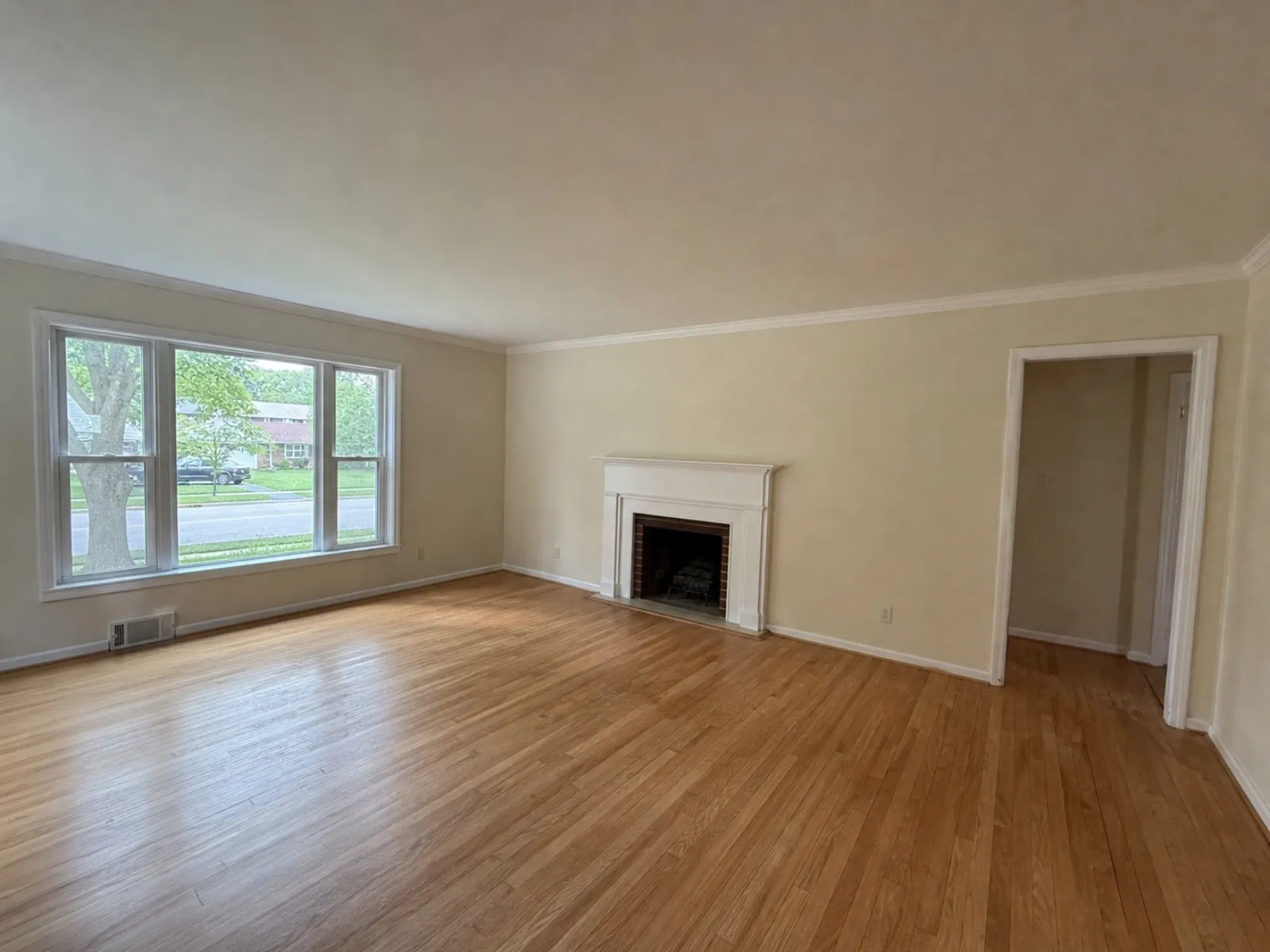 Sample phone shot
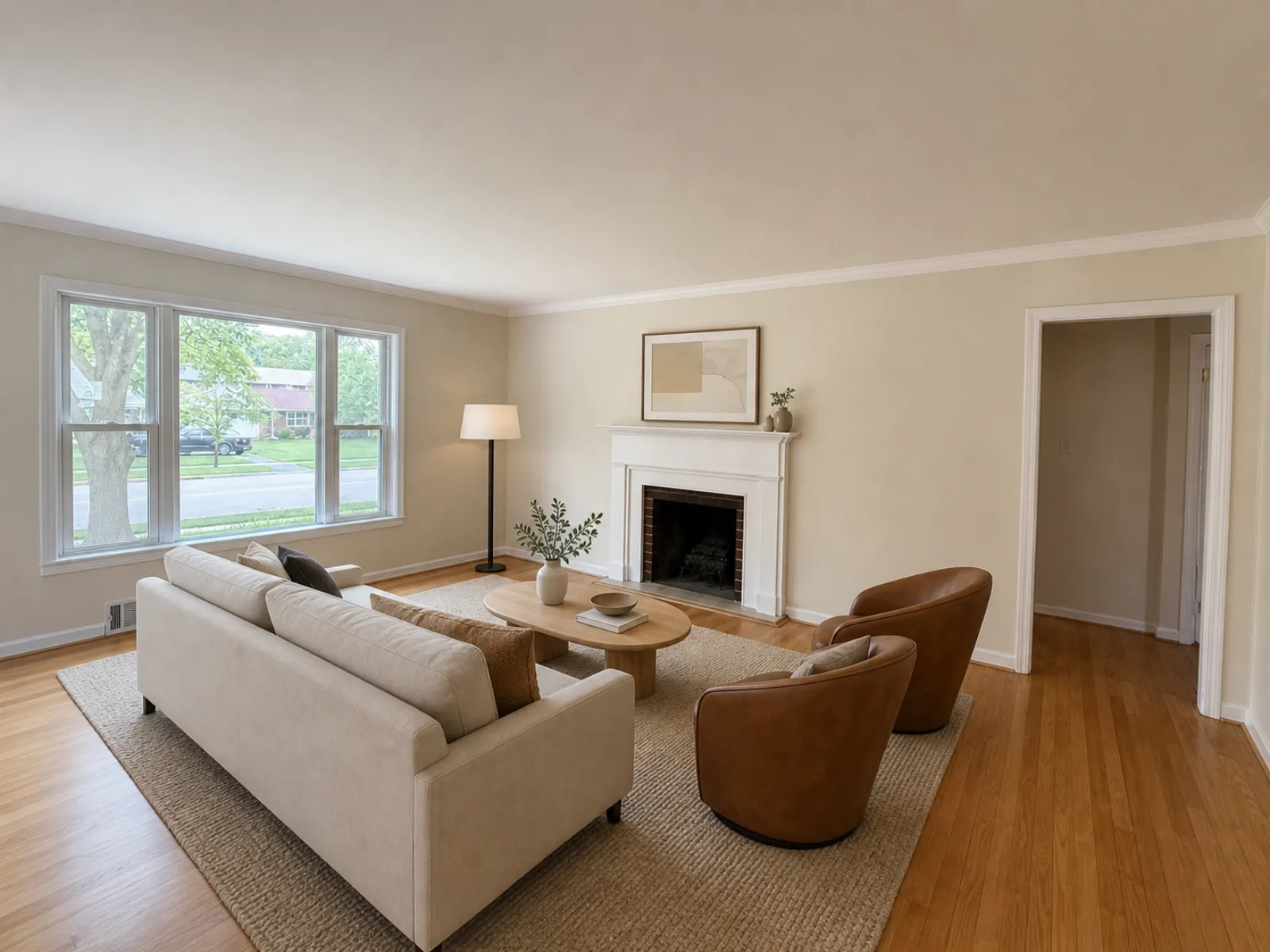 The file the app sent back
How it works
- Install the app from the App Store or Google Play and sign up. No card required.
- Shoot the empty room from a corner at chest height, with the lights on.
- Choose one of 8 styles: Modern, Scandinavian, Modern Farmhouse, Luxury Contemporary, Traditional, Mid-Century, Coastal, Japandi. Save or share your result.
What it costs
Your first credit is free, no card. After that you buy credits in packs or on a monthly plan. Credits never expire, and a failed edit gives its credits back.
| Edit | Credits | Cost per photo |
|---|---|---|
| Enhance (light, color, verticals) | 1 | $0.33 to $0.50 |
| Declutter (furniture out) | 2 | $0.67 to $1.00 |
| Virtual staging (8 styles) | 2 | $0.67 to $1.00 |
| Credit pack | Price | Per credit |
|---|---|---|
| 20 credits | $9.99 | $0.50 |
| 60 credits Most popular | $24.99 | $0.42 |
| 150 credits | $49.99 | $0.33 |
| 400 credits | $149.99 | $0.37 |
| Pro plan, 50 credits a month | $19.99/mo | $0.40 |
| Business plan, 150 credits a month | $49.99/mo | $0.33 |
Prices in USD. The app stores show the local price in your currency. Full pricing
App vs. web-only staging tools
| Real Estate Camera | Web-only AI tools | Human services | |
|---|---|---|---|
| Where you stage | iPhone, Android, web | Browser | Upload and wait |
| Per room | $0.67 to $1.00 | Varies with the monthly plan | About $24 |
| Billing | Credit packs that never expire, or monthly plans | Mostly monthly or yearly | Per photo |
| Also shoots and enhances | Yes | Rarely | Separate order |
Details of the tools and their prices are in the best virtual staging apps for real estate agents. If you already pay for Virtual Staging AI, see the Virtual Staging AI alternative.
Related
Questions
Is there a virtual staging app for iPhone?
Yes. Real Estate Camera is on the App Store for iPhone and iPad, and on Google Play for Android. It can stage empty rooms in 8 styles in 20 to 60 seconds.
Do I need a computer to use it?
No. You can shoot, stage and export from your phone. If you prefer to finish at your desk, sign in to the web app and you'll find the same projects.
How much does the app cost?
You can download it for free with 1 free credit. Staging costs 2 credits per room. Packs start at 20 credits for $9.99, and you pay through the App Store or Google Play when using it on your phone.
Can the app remove furniture too?
Yes. Declutter removes the furniture from a furnished room for 2 credits. You can then stage the empty room with new furniture if you want.
Does staging need a connection?
Yes. Staging runs on our servers, so the phone needs a connection to upload the photo. Once processing has started, you can close the app, and your result will be waiting in the project.