Real Estate Camera
The best virtual staging app for most real estate agents in 2026 depends on how often you list vacant properties. Just a few a year? Use a pay-as-you-go app so you're not paying for a subscription you don't use. For weekly listings, Collov AI or REimagineHome will give you the lowest price per photo. Apply Design lets you move the sofa yourself. If you want a human designer, BoxBrownie or VirtualStaging.com costs $24 a photo.
These are the seven tools I'd consider in September 2026, including what they cost and where they fall short. I checked every price and feature on the companies' own websites this month. No scores or rankings, because the right choice depends on the listing.
The comparison
| Tool | Type | Starting price (Sept 2026) | Stated turnaround time | Move furniture yourself? |
|---|---|---|---|---|
| Virtual Staging AI | AI, web app | $16/mo for 6 photos, billed yearly | Seconds | No, regenerate instead |
| Collov AI | AI, web app | $19/mo for 60 credits, billed yearly | 10 seconds | Add, edit or remove furniture on the $49 plan |
| REimagineHome | AI, web app | $19/mo for 30 credits | Not stated numerically | Through chat instructions on Pro and above |
| Apply Design | AI plus DIY editor | $7 to $10 per coin, 1 coin per DIY photo | 10 to 15 minutes | Yes, drag and drop |
| BoxBrownie | Human designers | $24 per photo | 48 hours | Send instructions |
| VirtualStaging.com | Human designers | $24 per photo | 24 hours, 4 to 8 hours for rush work | Send instructions, unlimited revisions |
| Real Estate Camera | AI, mobile app and web | $9.99 for 20 credits, 2 credits per room | 20 to 60 seconds | No |
For the cost per staged photo and a worked example for a full listing, see how much virtual staging costs. That guide also covers subscription traps.
The seven tools
Virtual Staging AI
Virtual Staging AI is the straightforward one-click option. After uploading, choose a room and style. Your staged room is ready in seconds. The site lists 50+ design styles and includes furniture removal with every plan. Renders are unlimited, so a disappointing result costs you nothing except another click. Plans start at $16 a month for 6 photos and go up to $79 for 150 on annual billing.
Downside: the $16 plan is the cheapest, but it offers the worst value per photo at $2.67. You also can't adjust the position of a single chair. If the layout isn't right, you regenerate it and hope for the best.
Collov AI
Collov AI gives you 60 credits a month with its $19 Standard plan, including furniture removal and its so-called one-click virtual staging disclaimer. The $49 Advanced plan adds furniture editing and material overlays, plus twilight and lawn replacement. Free trial images from Collov carry a watermark.
Downside: you pay for a year up front ($228 for Standard), and your photo allowance resets every month. Be careful with the extras, too. Changing the lawn or the flooring alters the property itself, which California's rules and several MLSs don't permit in listing photos, even with a label. Use those features to show a buyer what's possible, but keep them out of the MLS gallery. The MLS rules guide explains where the line is.
REimagineHome
REimagineHome lets you work through edits in a chat. With Pro ($36 a month for 200 credits) and above, you describe edits in the chat and work through them step by step without starting over. You can also upload reference photos. New accounts get 5 free designs. CRMLS's own compliance page names REimagineHome and says images created with it are watermarked automatically.
Downside: the $19 Essential plan leaves out chat editing and reference photos, which are REimagineHome's standout features. Its page also lists Essential under "legacy tools". Budget for Pro.
Apply Design
Apply Design is for agents who want control over furniture placement. Auto staging costs 1.5 coins a photo. DIY staging costs 1 coin and gives you a drag-and-drop editor with 18,000+ furniture pieces, according to its homepage. Coins cost $7 to $10 depending on how many you buy, and the first image is free. Apply Design also handles 360° photos.
Downside: at $7 to $15 a photo, Apply Design is the most expensive AI option here. DIY staging also takes time. The site quotes 10 minutes in one place and 15 in another for auto staging, so either way, it's slower than the one-click apps.
BoxBrownie
BoxBrownie uses human editors at $24 a photo, with a 48-hour turnaround. Its page lists styles from Modern and Farmhouse to Hamptons and Scandinavian, and you can send notes on the colour scheme and furniture placement. The same account covers image enhancement at $1.60 and item removal at $8. It's handy if you already send your edits there.
Downside: BoxBrownie's two-day turnaround means a long wait when a listing goes live tomorrow. At $24 a photo, a ten-photo staging order costs more than a year of most AI plans.
VirtualStaging.com
VirtualStaging.com is the other major human service, also $24 a photo ($19.20 at its bulk rate). Delivery takes 24 hours, or 4 to 8 hours with rush service. It includes unlimited revisions and a money-back guarantee. The main practical difference from BoxBrownie is speed: 24 hours versus 48.
Downside: VirtualStaging.com has the same trade-off as any human service: you wait, and you pay per photo whether the room is simple or not. Its pricing page also says jobs involving removal or renovation may take longer and cost extra after human review.
Real Estate Camera
Real Estate Camera is ours, so bear that in mind as you read. It's a camera app first. Shoot the listing with an iPhone, iPad or Android phone, or upload it on the web. Enhance fixes the lighting and straightens verticals for 1 credit. Declutter empties a furnished room for 2 credits, and Virtual staging furnishes an empty room for 2. Results take 20 to 60 seconds, and every staged file is labelled "virtually staged". Credits never expire, and you're refunded automatically for failed edits. A staged room works out at $0.67 to $1.00, depending on the pack.
The honest downsides:
- Eight styles: Modern, Scandinavian, Modern Farmhouse, Luxury Contemporary, Traditional, Mid-Century, Coastal and Japandi. Virtual Staging AI lists 50+.
- No manual furniture placement. You can't move a chair or swap one piece. If you don't like a result, you run it again, and that uses credits.
- The label appears in the app and on export, rather than being stamped onto the pixels. If a board requires the disclosure on the image, like Canopy MLS, you need to add it yourself.
- No 360° photos or virtual tours, and no twilight conversions.
- No human designer to take notes.
Real Estate Camera suits agents who shoot their own listings and want to finish the editing and staging on the same phone while they're still at the property.
Check every render before listing on the MLS
AI staging adds furniture, but it can also change the room. A window can end up a few inches larger. A mantelpiece can change shape, or a doorway can shift. California's rules, Canopy MLS and NorthstarMLS all prohibit changes to fixed features. Whichever tool you use, you're responsible for spotting them.
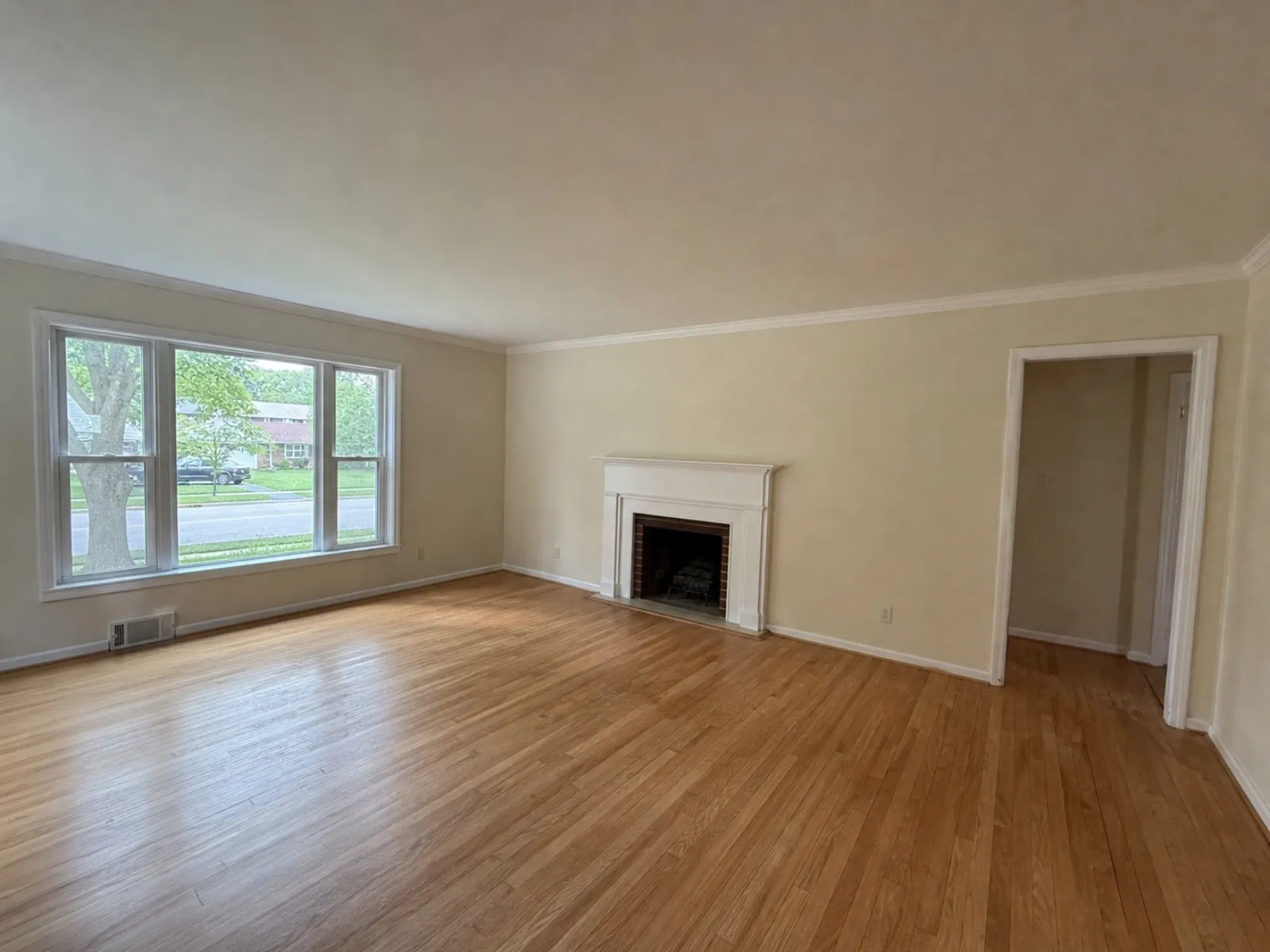
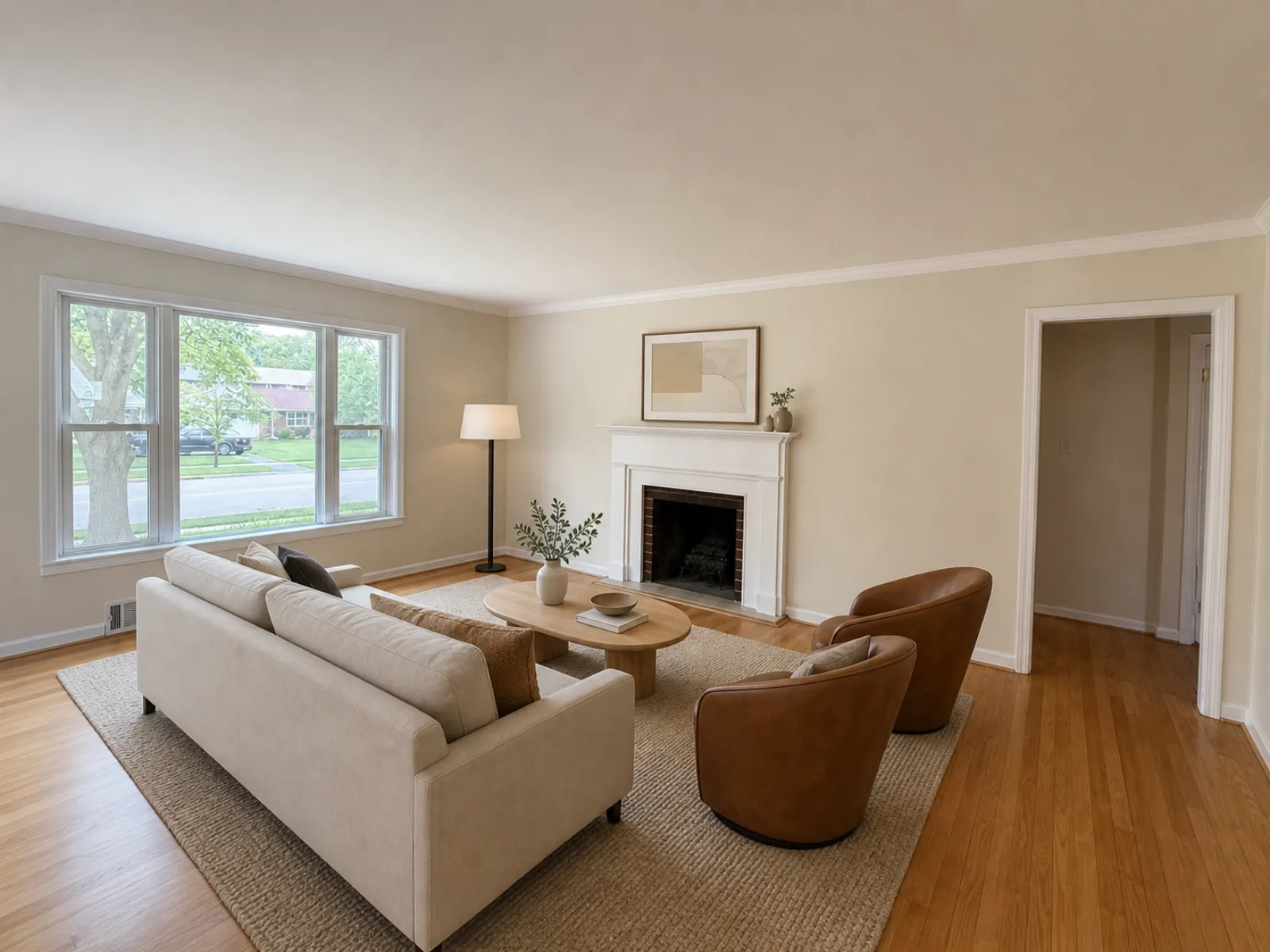
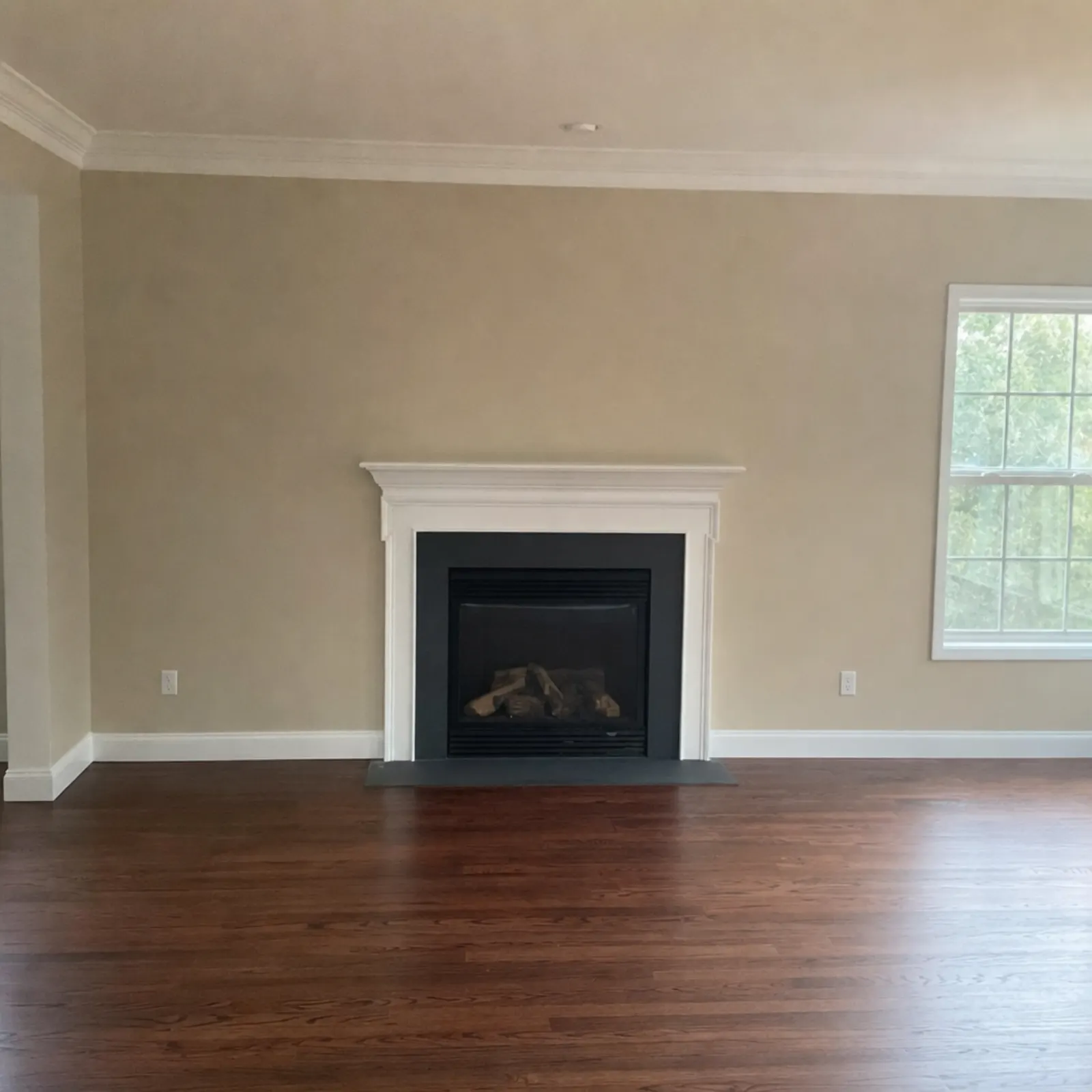

My routine takes thirty seconds per photo: I open the original and staged versions side by side, then check the windows and doors first. Next, the fireplace. I also check the floor and where the ceiling meets the wall. And I fix the base photo before staging because the staged version retains the original lighting and perspective. See fixing dark real estate photos and fixing vertical lines.
Which one to choose
- If you only list a vacant home from time to time, skip the annual plans. Real Estate Camera's packs and Apply Design's coins let you pay only when you stage. So does a human service that charges per photo.
- If you need weekly staging or have a team, go with Collov AI or REimagineHome. Their high-volume plans cost just cents per photo.
- If you're particular about the layout, choose Apply Design's editor or a human designer. BoxBrownie and VirtualStaging.com both follow your instructions.
- For an upmarket listing where the photos must be perfect, use a human service. At $24 per photo, a designer who scales the furniture to suit the room is cheap insurance for a large commission.
- If you take your own photos on your phone, Real Estate Camera keeps the work in one app. Take the photos there, then edit and stage them. Start with the shot list and guide to taking listing photos with an iPhone.
- If the room is full of the seller's furniture, clear it out before staging. Most tools above do both. Removing furniture from photos explains the options and labelling.
Several of these tools offer a free trial or a free first image. Before you commit, test two or three of them on the same empty room. Examine the windows just as closely as you do the sofa.
For a closer look at ours, see the Real Estate Camera virtual staging app.
As part of that test, try one of your own empty rooms in our app. Start free: 1 credit.
Questions
What is the best AI virtual staging app for real estate agents?
It depends on volume and how much control you want. For occasional listings, a pay-as-you-go app saves you paying for a subscription you don't use. For high-volume work, Collov AI and REimagineHome have the lowest per-photo prices. Apply Design has a drag-and-drop editor if you want to place the furniture yourself.
Is AI virtual staging as good as a human designer?
For a typical empty bedroom or living room, AI results are usable in seconds and cost a few cents to a few dollars. Human services, such as BoxBrownie and VirtualStaging.com, cost $24 a photo and take a day or two. A designer scales the furniture by hand and follows specific instructions.
Can I virtually stage photos on my phone?
Yes. Real Estate Camera works on iPhone, iPad and Android, so you can photograph the empty room and stage it before leaving the property. Most of the other tools here work in a web browser, which you can also use on a phone.
Do virtual staging apps add the MLS disclosure for me?
Some of them do. Collov lists a one-click staging disclaimer, and CRMLS says REimagineHome adds a watermark automatically. Real Estate Camera labels every staged file. You're still responsible for following your own MLS's rules on where to place the label.