Real Estate Camera
HomeDesigns AI covers interiors, exteriors, gardens, staging, sky swaps and floor plans, from $9 a month billed yearly as of October 2026. Real Estate Camera does less. It fixes and stages listing photos while keeping the real sky. Packs start at $9.99 and never expire.
The HomeDesigns AI prices come from its pricing page, checked on 24 October 2026. Real Estate Camera is our app. Keep that in mind when weighing my recommendation.
What HomeDesigns AI charges
As of 24 October 2026, HomeDesigns AI has three plans at $22, $29 and $37 a month, or $9, $11 and $14 a month billed yearly. They include 100, 1,000 or 2,000 credits a month. The free tier gives 3 credits every 24 hours. Paid plans come with a commercial licence and no watermark.
- Three plans at $22, $29 and $37 a month, or $9, $11 and $14 a month billed yearly.
- 100, 1,000 or 2,000 credits a month depending on the plan.
- A free tier with 3 credits every 24 hours.
- A commercial licence and no watermark on paid plans.
Side by side
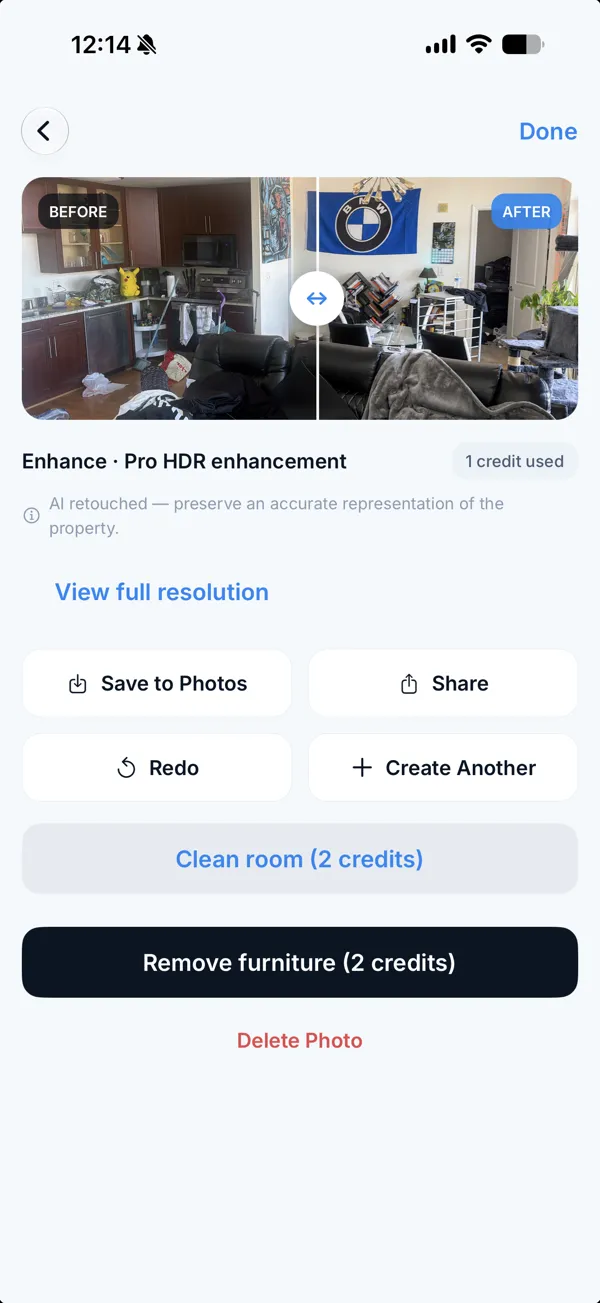
HomeDesigns AI offers sky and weather swaps, along with outdoor and floor plan work, from $9 a month billed yearly. Real Estate Camera covers less. Enhance fixes light and verticals for 1 credit. The app also stages empty rooms, labels staged files and keeps the real sky. Its camera works on iPhone and Android, and $9.99 credit packs require no plan.
| HomeDesigns AI | Real Estate Camera | |
|---|---|---|
| Cheapest paid option | $9 a month, billed yearly | $9.99 pack, no plan |
| Sky and weather swaps | Yes | No, the real sky stays |
| Exteriors, gardens, floor plans | Yes | No |
| Fix light and verticals | Not a headline feature | Enhance, 1 credit |
| Phone camera built in | No | Yes, iPhone and Android |
| Staged label | Add it yourself | Applied to staged files |
Where HomeDesigns AI is the better pick
I'd pick HomeDesigns AI for design concepts and volume. Garden concepts and 3D floor plans are outside Real Estate Camera's scope. And for a thousand renders a month, $11 a month on yearly billing buys a lot of tool. HomeDesigns AI gives stagers and designers more range when pitching ideas to a client.
The gaps Real Estate Camera fills
Edits that stay honest. For photos going on the MLS, I'd use a listing tool. Real Estate Camera doesn't swap skies or repaint lawns. Those edits change what the buyer sees, and AB 723 plus many MLS rules require a disclosure for them. Enhance fixes exposure for 1 credit and keeps the sky that was there.
Paying only in busy months. Real Estate Camera's packs start at $9.99 and don't expire, so a slow quarter costs nothing.
Before you replace a sky
A replaced sky shows buyers weather the house didn't have. California and many MLS rules require disclosure. Read sky replacement in real estate photos before making that edit, and check AI photo disclosure laws by state for the rules where you sell. Other tools are covered in AI interior design apps for real estate.
Fix a dark room with Enhance for 1 credit and keep the real sky. Start free: 2 credits.
Questions
How much does HomeDesigns AI cost?
As of October 2026, its pricing page lists three plans at $22, $29 and $37 a month, or $9, $11 and $14 a month billed yearly, with 100, 1,000 and 2,000 credits a month. The free tier gives 3 credits every 24 hours.
Can HomeDesigns AI swap the sky?
Yes. Its pricing page lists sky and weather swaps. Real Estate Camera doesn't swap skies. A replaced sky changes what a buyer sees, and California's AB 723 requires disclosing that kind of edit.
Does HomeDesigns AI do virtual staging?
Yes. It lists staging empty listings and emptying a room in one click, along with exteriors, gardens, video tours and 3D floor plans.
Which is cheaper for an agent?
If you'd use thousands of credits, HomeDesigns AI on yearly billing is cheaper. If you stage a few rooms a month, Real Estate Camera's packs from $9.99 never expire, so you don't pay in quiet months.
Do both allow commercial use?
HomeDesigns AI's page says its plans include a commercial licence with no watermark. Real Estate Camera photos are yours to use on listings.
Who makes this
Real Estate Camera is a listing photo app for iPhone, Android and the web. We wrote this page, so we have a stake in it. Other companies' prices come from their own pages on the date shown, and we say where they do better. Spot a wrong number? Tell us and we'll fix it.