 Real Estate Camera
To restyle a furnished room for a property listing, empty it first, then virtually stage it. In Real Estate Camera, run Declutter for 2 credits, then Virtual staging in one of 8 styles for another 2 credits. The room costs about $1.33 to $2.00. Some design tools redesign in one step, but they can change the walls and floors too. Label the result as virtually staged.
Real Estate Camera is our app. Bear that in mind when weighing up my view of it.
Step 1: Declutter
Photograph the room with the camera level and the lights on, then run Declutter for 2 credits in Real Estate Camera. It removes furniture and loose items while leaving the room itself intact. Check what's left. The fireplace, fitted units and anything included in the sale should still be there.
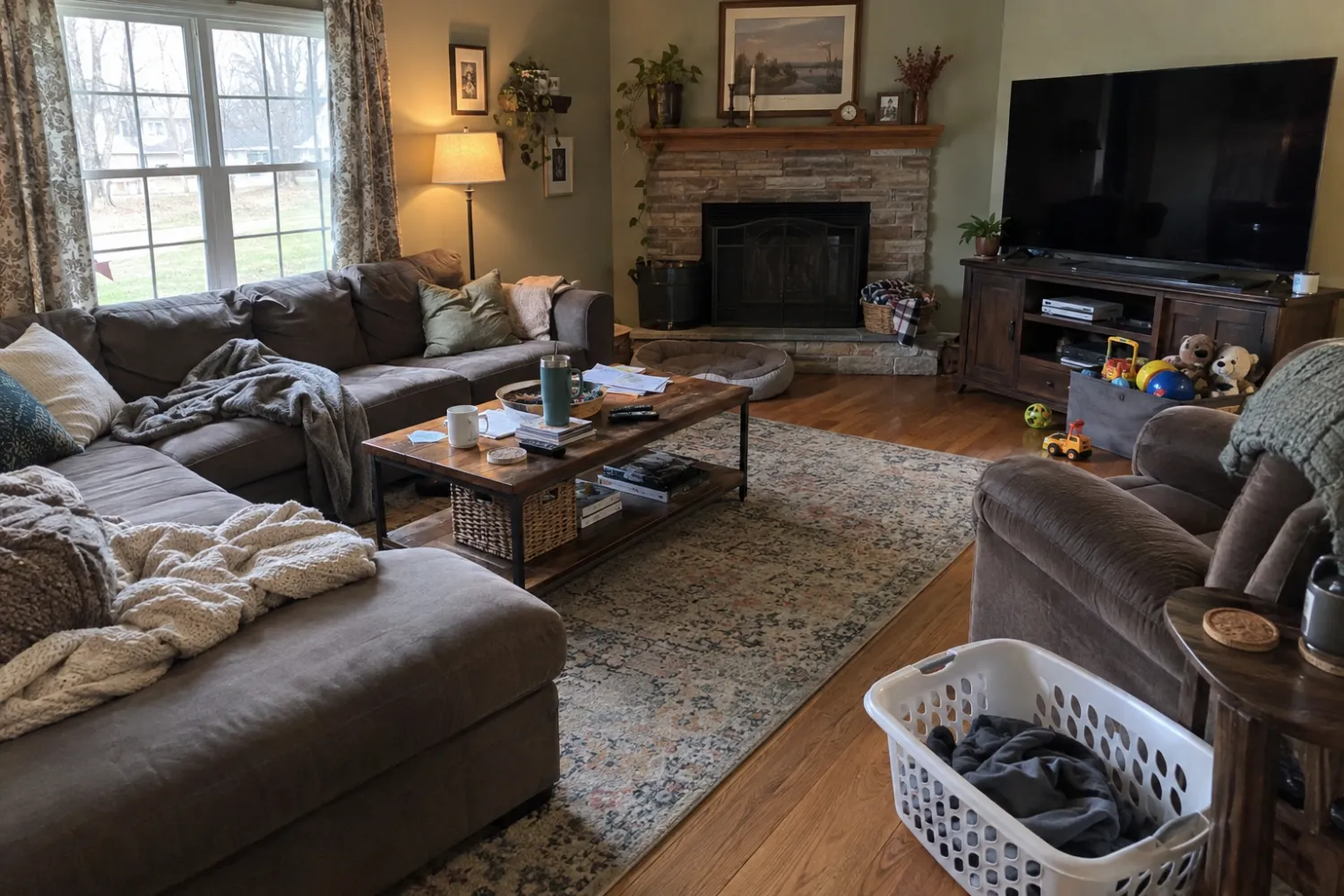
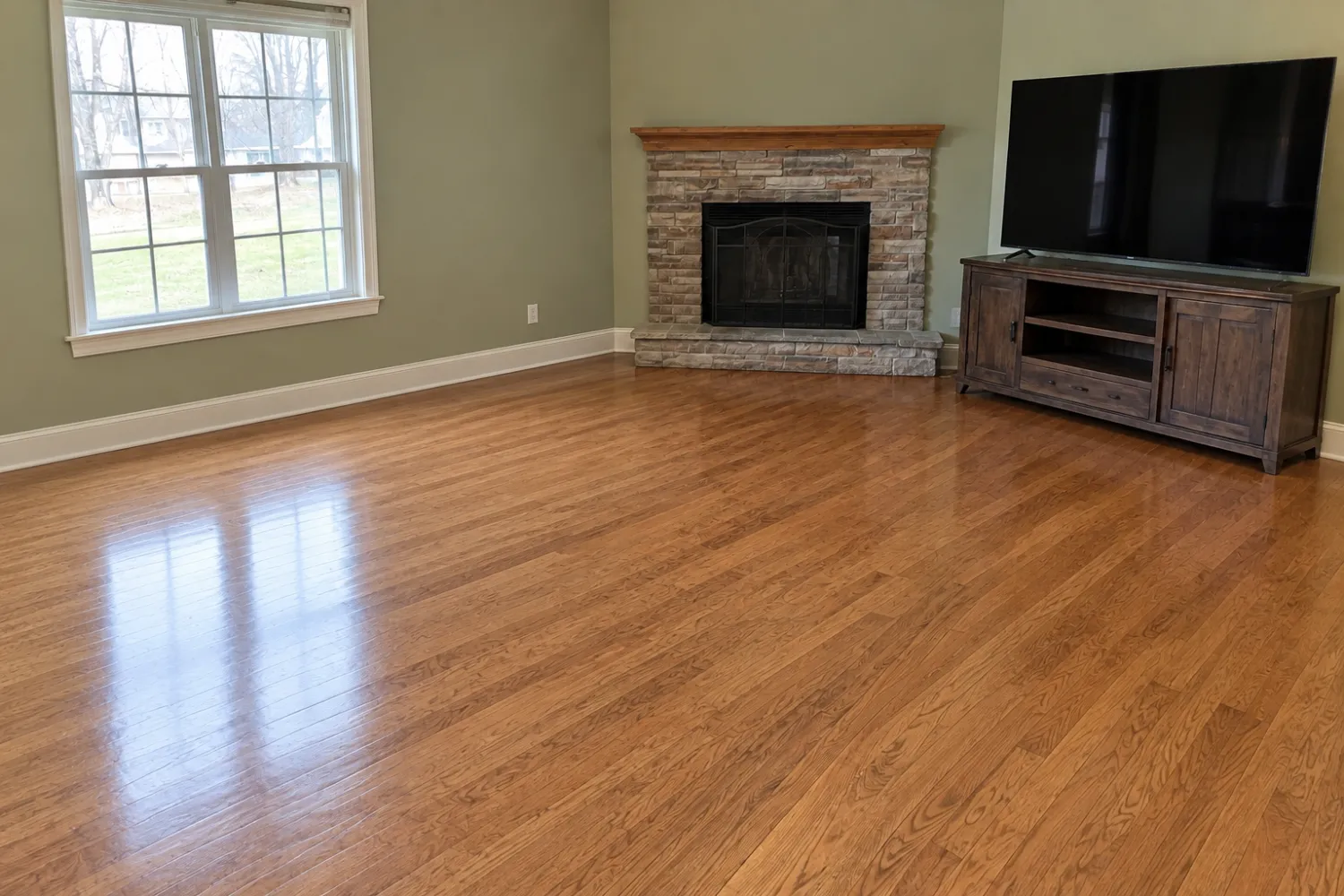
Step 2: Use Virtual staging for the new style
Choose a style that suits the property; the styles guide covers all eight. Run Virtual staging on the emptied photo for another 2 credits, then compare it with the original. Check the windows and doors. Check the floor lines too, before using the result.
One step or two?
Two steps in Real Estate Camera cost 4 credits, about $1.33 to $2.00, and keep the walls and floors as they are, but you choose from 8 preset styles. One-step redesign tools such as REimagineHome and Interior AI accept text prompts and reference photos. The trade-off is risk: redesign modes often change finishes, which a property listing photo can't show.
| Two steps (declutter, then virtually stage) | One-step redesign | |
|---|---|---|
| Tools | Real Estate Camera | REimagineHome, Interior AI |
| Control over style | 8 preset styles | Text prompts, reference photos |
| Risk of altered finishes | Lower: neither step is intended to repaint | Higher: redesign modes often change finishes |
| Cost in Real Estate Camera | 4 credits, about $1.33 to $2.00 | n/a |
Disclose the changes
A restyled room still counts as virtually staged, even if it was furnished when you photographed it. Label the image and keep the original to hand in case a buyer or your MLS asks for it. See virtual staging disclosure wording for examples.
For more on the tools, read the REimagineHome alternative and how to remove furniture from photos.
Empty and virtually restage one furnished room. Start free: 2 credits.
Questions
Can AI restyle a room that already has furniture?
Yes, in two ways. Some tools redesign the room in place. Real Estate Camera uses two steps: Declutter removes the furniture, then Virtual staging adds new furniture in your chosen style.
How much does it cost to restyle one room?
In Real Estate Camera, Declutter costs 2 credits and Virtual staging costs 2 credits. That's 4 credits per room, about $1.33 to $2.00 depending on the pack.
Will the AI change the walls or floor?
It can. Compare every result with the original. Check windows, doors, floors, fitted units and fixtures. Real Estate Camera doesn't deliberately change paintwork or floors, but any AI can alter a feature slightly. You're responsible for spotting it.
Do I need to label a restyled photo?
Yes. A room shown with furniture that isn't there is virtually staged and needs a label in most MLSs. California's AB 723 also requires disclosure of digitally altered photos.
Which styles can I choose?
Real Estate Camera has 8: Modern, Scandinavian, Modern Farmhouse, Luxury Contemporary, Traditional, Mid-Century, Coastal and Japandi.
Who makes this
Real Estate Camera is a listing photo app for iPhone, Android and the web. We wrote this page, so we have a stake in it. Other companies' prices come from their own pages on the date shown, and we say where they do better. Spot a wrong number? Tell us and we'll fix it.