 Real Estate Camera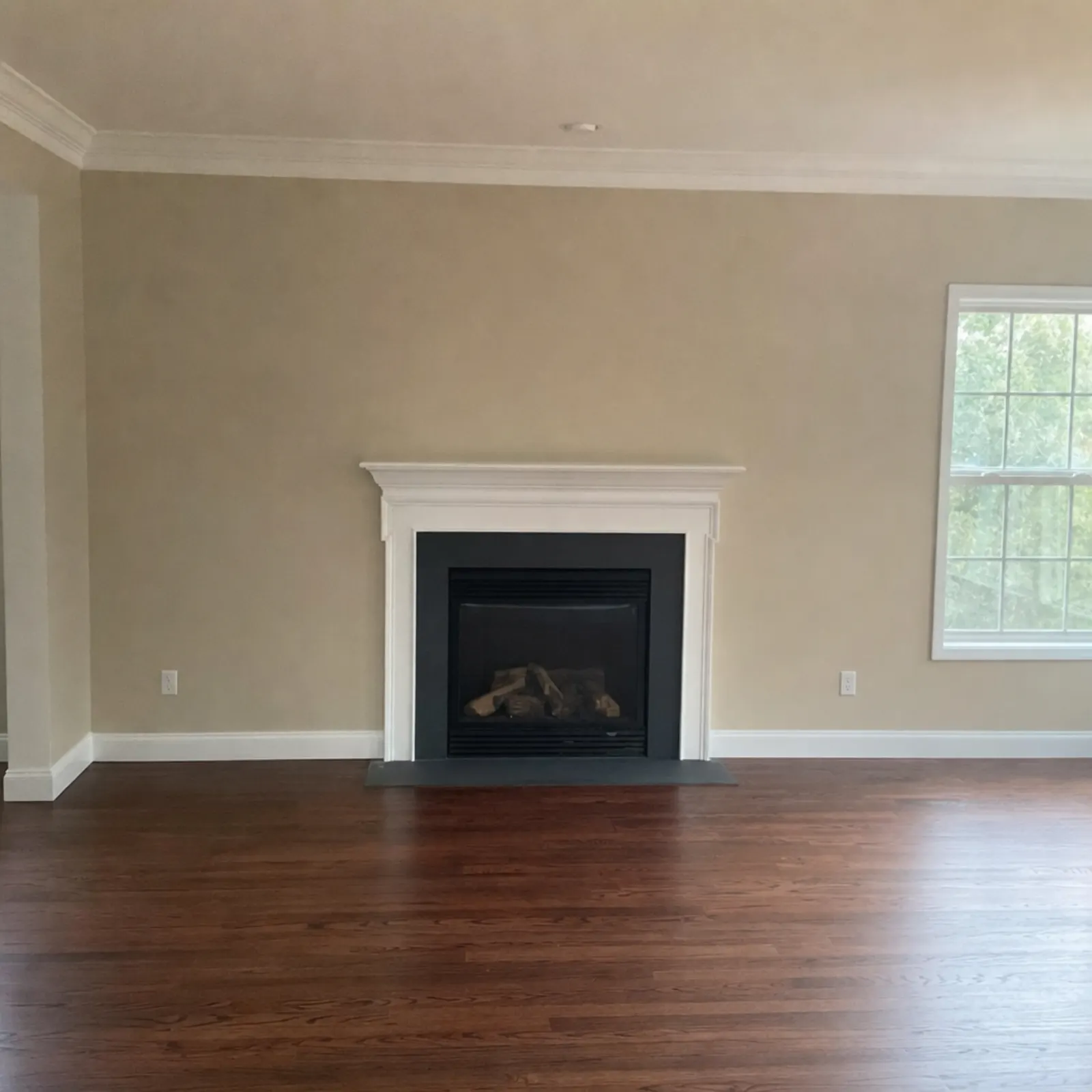
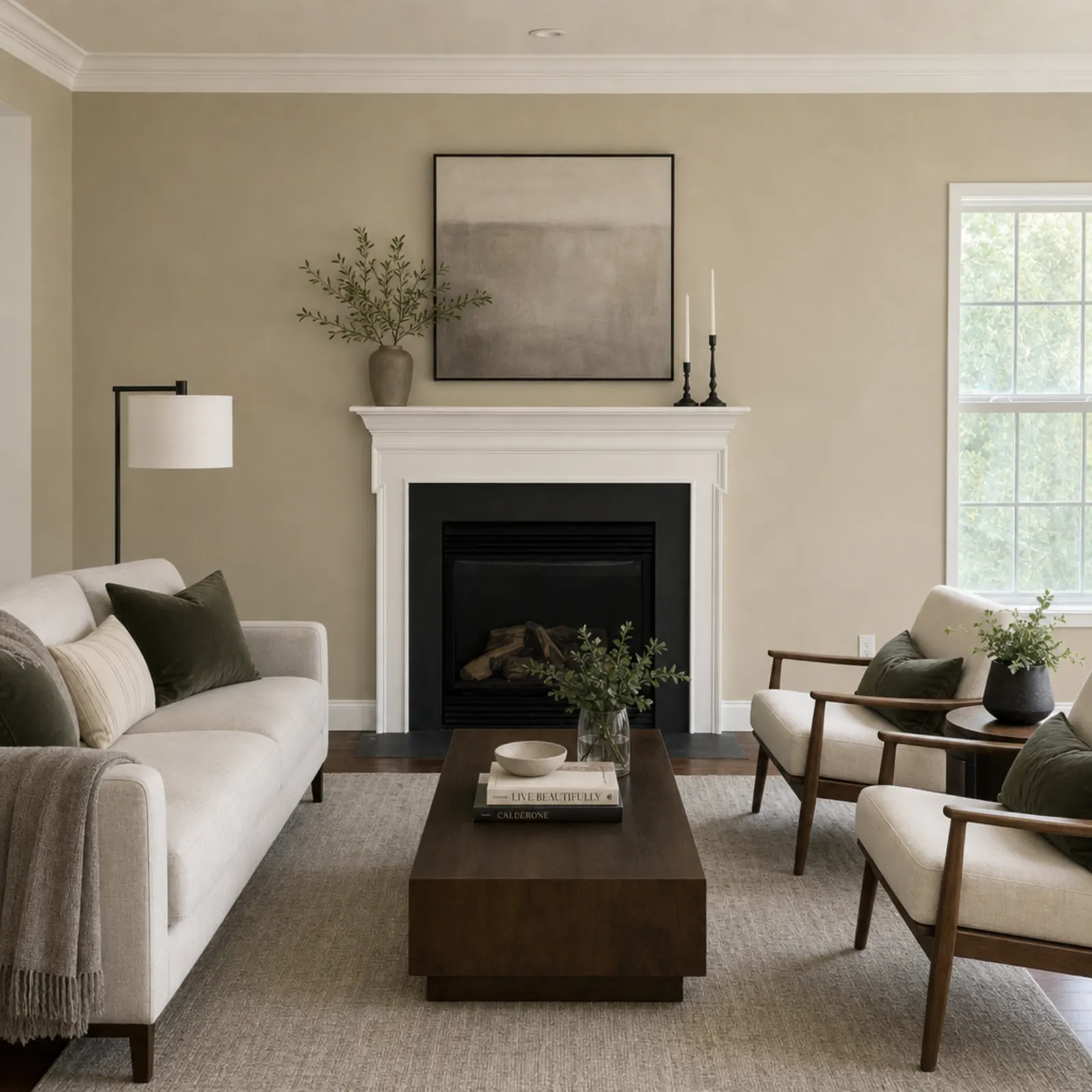
Virtual staging adds furniture to a photo of an empty room so buyers can see how the space could be used. The AI does this in under a minute for about a dollar or less. A human staging service takes a day or two and charges around $24 per photo. The AI option has one limitation: you cannot ask it to move the sofa two feet to the left. If you need that level of control, a human editor is still the right choice.
What you get back
- The same room, walls, windows, doors and flooring, with furniture that matches the style you chose.
- A full-resolution file ready for the MLS, Zillow (in your market: Rightmove or Zoopla) or your listing brochure.
- The original kept alongside it, so you can show the empty room as well.
- A label marking the result as virtually staged, so you do not forget to disclose it when you upload.
What it cannot do: repaint walls, replace the flooring, hide a crack or change a grey sky. Staging furnishes the room as it is.
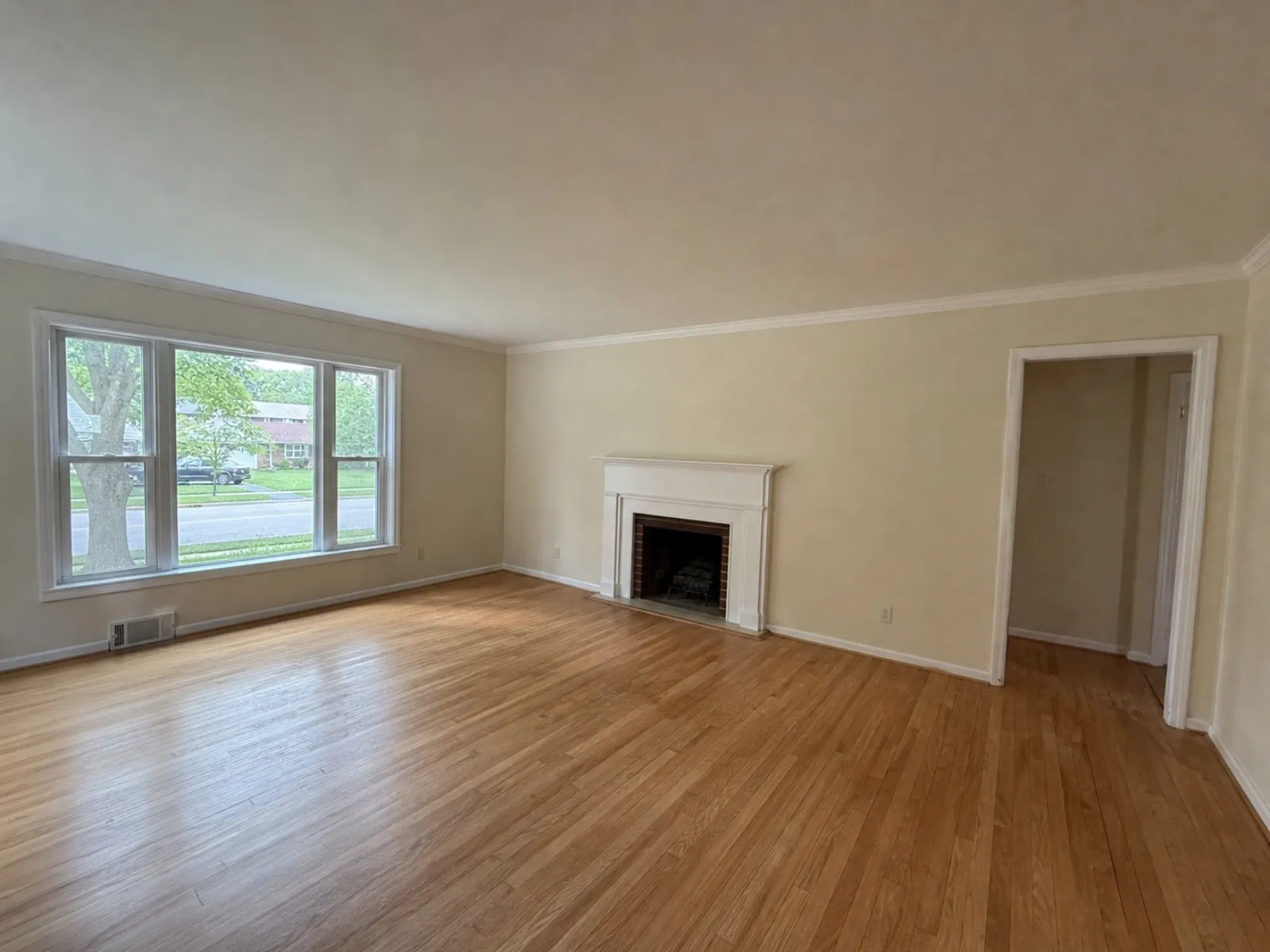 Sample phone shot
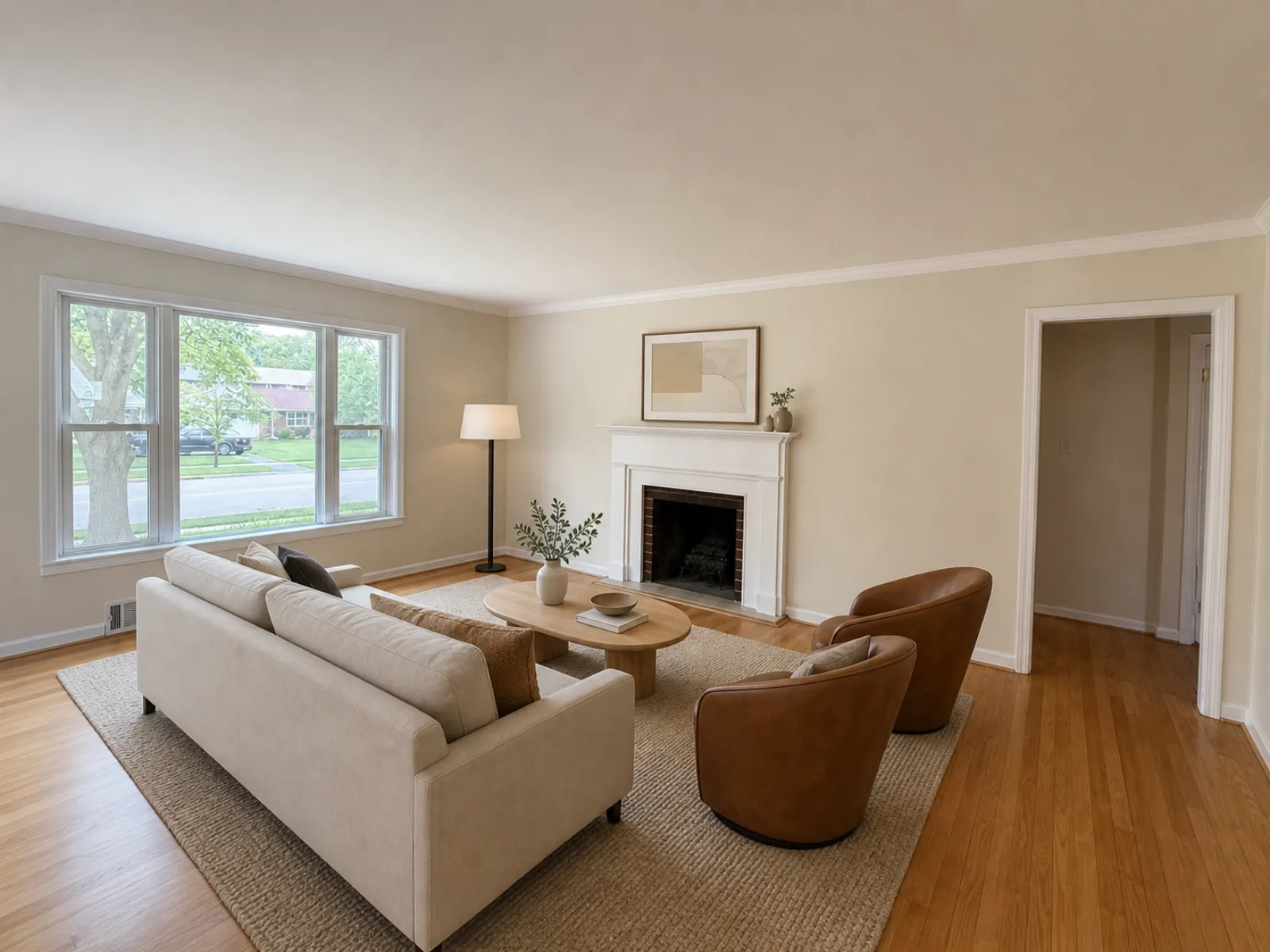 The file the app sent back
How it works
- Photograph the empty room on your phone from a corner, at chest height, with the lights on. Or upload a photo you already have.
- Choose a style. Modern, Scandinavian, Modern Farmhouse, Luxury Contemporary, Traditional, Mid-Century, Coastal, Japandi.
- Download the staged photo 20 to 60 seconds later. Not happy with it? Run it again in a different style.
What it costs
Your first credit is free, no card. After that you buy credits in packs or on a monthly plan. Credits never expire, and a failed edit gives its credits back.
| Edit | Credits | Cost per photo |
|---|---|---|
| Enhance (light, color, verticals) | 1 | $0.33 to $0.50 |
| Declutter (furniture out) | 2 | $0.67 to $1.00 |
| Virtual staging (8 styles) | 2 | $0.67 to $1.00 |
| Credit pack | Price | Per credit |
|---|---|---|
| 20 credits | $9.99 | $0.50 |
| 60 credits Most popular | $24.99 | $0.42 |
| 150 credits | $49.99 | $0.33 |
| 400 credits | $149.99 | $0.37 |
| Pro plan, 50 credits a month | $19.99/mo | $0.40 |
| Business plan, 150 credits a month | $49.99/mo | $0.33 |
Prices in USD. The app stores show the local price in your currency. Full pricing
AI staging compared with the other options
| Option | Per room | Turnaround | Best for |
|---|---|---|---|
| Real Estate Camera | $0.67 to $1.00 | 20 to 60 seconds | Staging every vacant room in every listing |
| BoxBrownie (human) | $24 | Under 48 hours | A hero shot with a specific brief |
| VirtualStaging.com (human) | $24 | 24 hours; 4 to 8 hours for rush jobs | Unlimited revisions |
| Physical staging, vacant property | $4,000 to $6,000 total | Days to arrange | Viewings, not just photos |
Prices as of September 2026, taken from each company's own pages and Angi. The full breakdown is in how much virtual staging costs and the best virtual staging apps for estate agents. If you are switching from a human service, read the BoxBrownie alternative guide.
Related
- Virtual staging for estate agents
- Remove furniture from photos
- Pricing
- MLS rules for staged photos
- Which staging style to choose
Questions
How much does AI virtual staging cost per photo?
On Real Estate Camera, a staged room costs 2 credits. Credits cost $0.33 to $0.50 each, depending on the pack or plan, so a room comes to between $0.67 to $1.00. Human staging services such as BoxBrownie charge around $24 per photo.
How long does virtual staging take?
20 to 60 seconds per room. You can close the app or the browser tab while it runs; the photo will be waiting for you in the project.
Which staging styles can I choose?
8: Modern, Scandinavian, Modern Farmhouse, Luxury Contemporary, Traditional, Mid-Century, Coastal, Japandi. Choose one per photo, so a kids' room and a living room in the same listing can look different.
Can I use virtually staged photos on the MLS?
Most MLSs allow it if you disclose it. Staged results are flagged as virtually staged in the app, and the original is kept alongside the edit so you can upload both. Check the exact wording required by your own MLS.
What if the room still has furniture in it?
Run Declutter first (2 credits). It removes the furniture and rebuilds the floor and walls behind it. Then stage the empty result.
Is there a free trial?
Your first credit is free, with no card required. That covers one Enhance. A staged room takes 2 credits, so you would need the smallest pack (20 credits for $9.99) to use staging.