 Real Estate Camera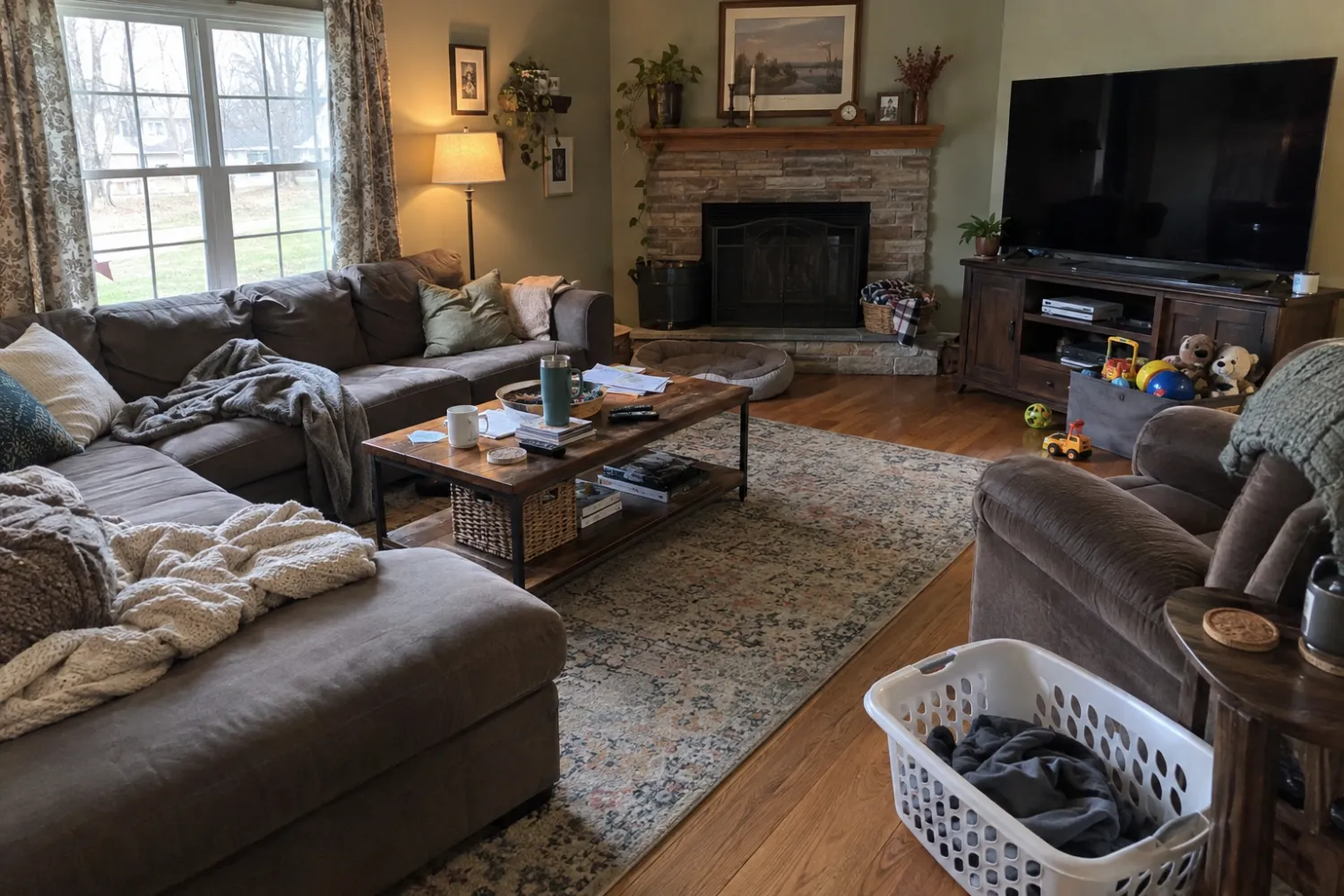
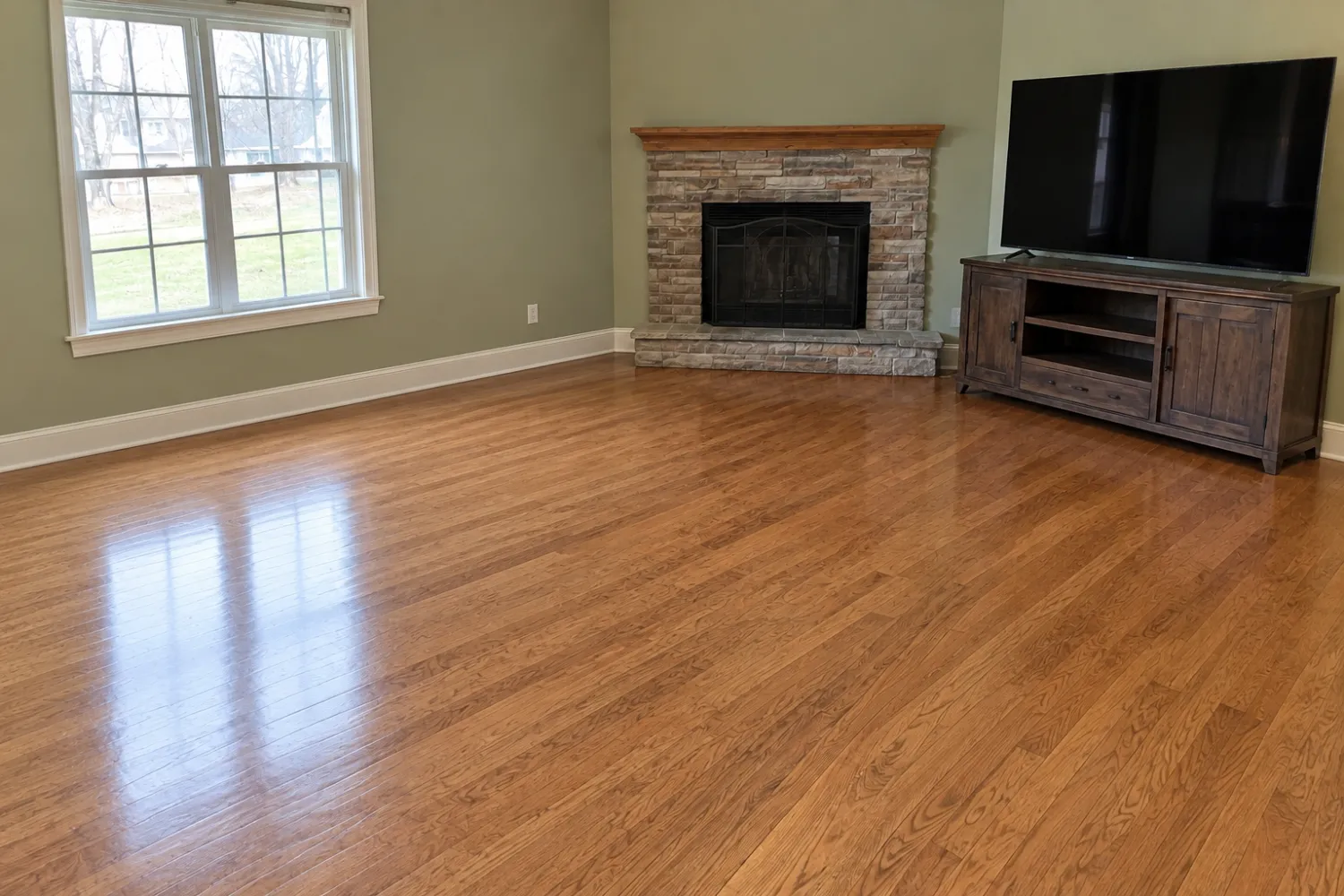
To remove furniture from a real estate photo, you can mask it out in Photoshop, send it to an editing service for about $8 a photo, or let an app do it in under a minute. Real Estate Camera's Declutter is the third kind. You pick the photo, it takes out the furniture and clutter, and it rebuilds what was behind them. It's built for listing photos, so it keeps the room itself intact.
When agents use it
- The seller is still living there and the rooms look lived-in.
- The furniture is dated or too big and makes the room read small.
- You want to restage a furnished room in a different style: declutter first, then stage.
- A rental turnover where the tenant's things are still in the shots.
What it keeps and what it doesn't
It keeps the fireplace, windows, doors, built-in cabinets and the floor material. It will not move a wall, patch a stain it can see, or change a view. If the photo shows damage, the result shows the same damage.
How it works
- Shoot the room from a corner at chest height with the floor visible, or upload a photo you have.
- Tap Declutter. 2 credits.
- Download the empty room, or stage it straight away in one of 8 styles.
What it costs
Your first credit is free, no card. After that you buy credits in packs or on a monthly plan. Credits never expire, and a failed edit gives its credits back.
| Edit | Credits | Cost per photo |
|---|---|---|
| Enhance (light, color, verticals) | 1 | $0.33 to $0.50 |
| Declutter (furniture out) | 2 | $0.67 to $1.00 |
| Virtual staging (8 styles) | 2 | $0.67 to $1.00 |
| Credit pack | Price | Per credit |
|---|---|---|
| 20 credits | $9.99 | $0.50 |
| 60 credits Most popular | $24.99 | $0.42 |
| 150 credits | $49.99 | $0.33 |
| 400 credits | $149.99 | $0.37 |
| Pro plan, 50 credits a month | $19.99/mo | $0.40 |
| Business plan, 150 credits a month | $49.99/mo | $0.33 |
Prices in USD. The app stores show the local price in your currency. Full pricing
Other ways to empty a room photo
| Option | Per photo | Wait | Catch |
|---|---|---|---|
| Real Estate Camera Declutter | $0.67 to $1.00 | 20 to 60 seconds | No manual touch-ups |
| Editing service (BoxBrownie item removal) | $8 standard, $4 for small items | A human edit, so not same-minute | Per-photo cost adds up |
| Photoshop or a phone eraser tool | Your time | Slow by hand | Floors and baseboards are hard to rebuild by hand |
| Physically move the furniture | Free | An afternoon | The seller has to agree |
The guide on removing furniture from real estate photos covers the manual methods step by step. For rooms with only small clutter, see common listing photo mistakes.
Related
Questions
Can AI remove furniture from a photo?
Yes. Declutter removes furniture and loose items from a room photo and fills in the floor and walls behind them. It works best on a photo taken from a corner with the floor in view.
What does it leave in the room?
Built-in things: the fireplace, windows, doors, cabinets, counters and often a fixed TV unit. It won't move walls or hide damage.
How much does it cost to remove furniture from a photo?
2 credits a photo, which is $0.67 to $1.00 depending on the pack. Human editing services charge around $8 a photo for standard item removal, according to BoxBrownie's September 2026 pricing.
Can I stage the room after emptying it?
Yes. Run Declutter, then virtual staging on the empty result. That's 2 plus 2 credits. It's how you restyle a room the seller furnished badly.
Do I need to disclose that furniture was removed?
Many MLSs treat removal like staging and want it disclosed. Keep the original, which the app stores next to the edit, and follow your MLS rules.