 Real Estate Camera
To remove furniture from a real estate photo, use an AI declutter tool or Photoshop's Generative Fill. Both erase the furniture and rebuild the floor and walls behind it; Photoshop gives you control over the selections. You can remove the seller's belongings. Damage and permanent fixtures have to stay. In some places, including California, you also have to label the edited photo and link to the original.
Before you press the button, decide what belongs in the picture. The tools make predictable mistakes, and how you shoot the room affects whether the removal comes out clean the first time.
Declutter or stage? Pick based on the room you have
Agents mix these up. Here's how I choose.
- When the room is full, declutter. A sectional eats half the floor. A kid's toy corner or a home office piled with boxes makes it hard for buyers to see the square footage. Clearing the furniture shows the room as a room.
- If the room is already empty and feels cold or hard to size, stage it. An empty living room with hardwood and white walls looks smaller than it is because there's nothing to judge scale against.
- Dated furniture in a room that needs to feel lived in calls for both. Clear it first, then stage the clean frame. Staging over existing furniture usually looks wrong, because the model has to work around a recliner that's still there.
Sometimes I wouldn't do either. If the seller's furniture is decent and the room looks good, a straight photo with the lights on beats any edit.
Every edit is one more thing a buyer can feel cheated by at the showing.
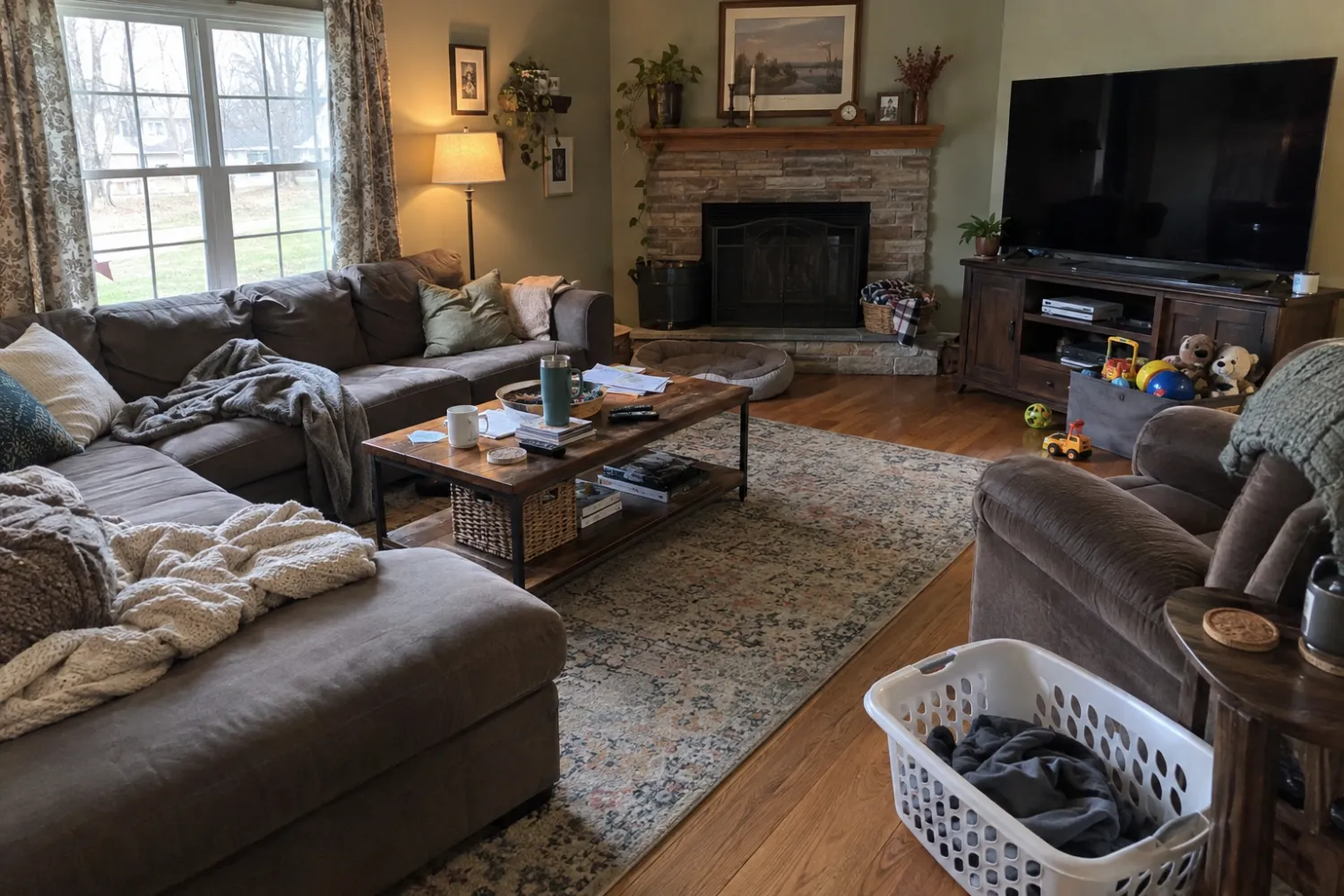
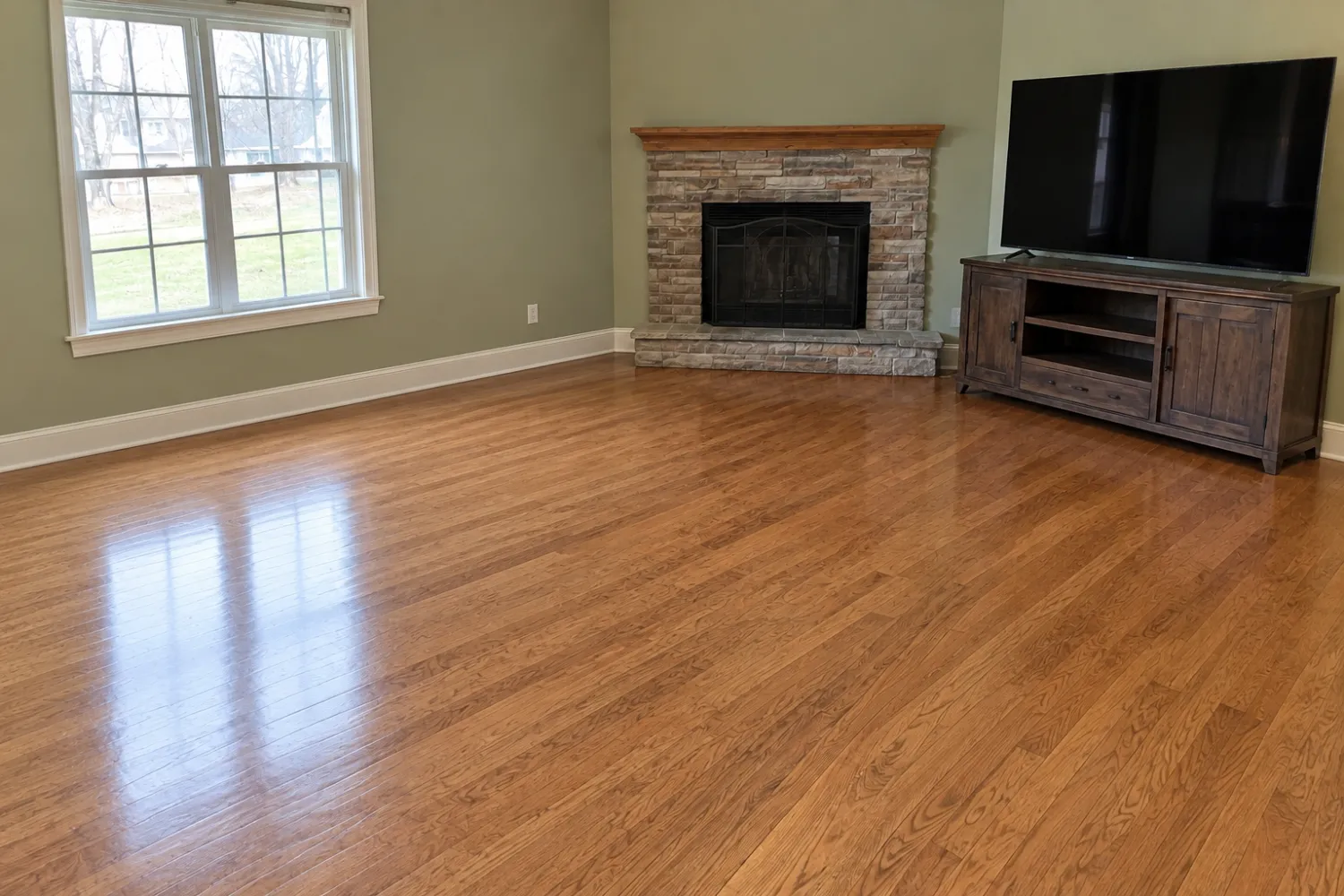
What you can remove, and what has to stay
The rule holds up everywhere I've looked: belongings can go, the property can't change.
NorthstarMLS spells it out in its proposed guidelines for AI-edited listing photos (July 2026). Virtual staging may "add or remove personal property such as furniture and décor". Edits that "change or hide permanent or structural elements" are prohibited. Its list of permanent elements includes walls, floor coverings, doors, windows, ceilings and fireplaces.
Here's what that means in a photo:
| Fine to remove | Leave it in |
|---|---|
| Sofas, beds, tables, chairs | Built-in shelving, window seats, kitchen islands |
| Rugs sitting on top of the floor | Carpet, even if it's ugly |
| Family photos, toys, laundry, pet bowls | Water stains, cracks, missing trim |
| Freestanding lamps | Ceiling fans, light fixtures, radiators, vents |
| A car in the driveway, trash bins | Power lines, the neighbor's house, the view |
The last row trips people up. A trash bin is the seller's stuff. The utility pole across the street is part of what the buyer is buying, whether they like it or not.
Check under rugs. Removing a rug from hardwood is fine if the boards underneath are in the same shape as the rest. But if the rug hides a stain or a gouge, AI will paint clean boards over the damage. You've edited out a defect without meaning to. Check before erasing.
Disclosure: when an empty room still needs a label
A lot of the guides ranking for this topic say removal is fine and only staging needs a label. That advice doesn't hold everywhere.
California's AB 723 defines a "digitally altered image" as one changed with editing software or AI "to add, remove, or change elements". It names furniture in its list. If you advertise an altered image, you need a statement on or next to it saying so, plus a link or QR code to the original. The bill was chaptered in October 2025. Plain lighting, color, exposure, straightening and cropping don't count as alterations under the same section.
Outside California, check your MLS. The NorthstarMLS proposal asks for a disclosure in the caption or on the photo itself for every staged or AI-edited image and an unaltered "before" shot of the same room. And NAR's Standard of Practice 12-10 bars REALTORS® from misleading consumers, "including use of misleading images", which covers any market.
Keep every original and label every photo you've removed things from. When your MLS allows it, upload the "before" next to the edit. For individual board requirements, see our virtual staging MLS rules guide.
What AI removal does well, and where it breaks
AI declutter handles the easy cases well: a sofa against a plain wall on wood or carpet, a bed in a bedroom, a dining set on tile. It rebuilds baseboards and extends the floor pattern while keeping the wall color. With a clean, evenly lit room, the result usually holds up at full size.
These are the failures I run into:
- The sofa's gone, but ghost shadows leave a soft dark patch where it sat. Lamps do the same thing on walls. Zoom in to the floor line before accepting the result.
- Look for floor seams that don't line up. Hardwood planks and tile grout have to continue in perspective; otherwise, the repaired patch looks pasted in. Wide, patterned rugs make this worse because there's more floor to invent.
- Check the reflections, too. The couch may be gone from the room but still sitting in the mirror, the glossy floor or the TV screen. Some tools catch it. Many don't.
- Watch for fixtures that get eaten when you ask for "remove everything". A ceiling fan, a pendant, a floor vent or a built-in bench can disappear with the furniture. This is the mistake that can get you in trouble. Those things are part of the house.
- A partly hidden feature can turn into invented architecture. A doorway behind a bookcase comes back as plain wall, or a wall comes back with a window that isn't there. Check what the tool put anywhere the original view was blocked.
These mistakes don't mean the tool is bad. They mean you need to review every result at full size before it goes on the MLS, just as you'd check a photographer's edits.
Doing it by hand: Photoshop and phone erasers
Photoshop Generative Fill
For one hero shot you want perfect, Generative Fill in Photoshop gives you the most control. Select the furniture with the Selection Brush or Lasso. Leave the prompt blank so Photoshop fills from the surrounding pixels, then pick the best variation. The edit sits on its own layer, so you can mask back any part it got wrong without changing the original.
Two tips from doing this a lot. Select a little past the furniture to include its shadow, or the shadow stays. And work through big pieces separately: the sofa, then the coffee table, then the rug. Smaller fills keep the floor pattern straighter than one giant selection.
It takes time. A full room with a sectional, a rug and a TV stand can take a while to get right, especially if the floor is patterned.
Phone object erasers
Apple's Clean Up (on iPhones that support Apple Intelligence) and Google Photos' Magic Eraser are free and already on your phone. They're great for a dog bed, a trash can, a cord across the floor or a toothbrush on the vanity.
Big pieces are harder. These tools were built to lift a stranger out of a vacation photo, not rebuild eight feet of hardwood and baseboard in correct perspective. Try one on a sofa and you'll usually get a smeared floor.
Apps built for listings
Listing-specific declutter tools, ours included, clear a whole room in one go and rebuild the floor and walls with the room's perspective in mind. In Real Estate Camera, Declutter costs 2 credits and takes 20 to 60 seconds. Failed edits refund the credits automatically. To compare options, see the staging and declutter apps we tested or this cost breakdown of per-photo prices.
How to shoot a room so removal works
A lot of bad removals start with a bad source photo. Give the tool a better one:
- Keep the phone at chest height and level, around 4 to 5 feet off the floor, straight up and down. Tilting it makes the floor recede at a weird angle. Every plank the AI rebuilds inherits that angle. See fixing vertical lines if yours already lean.
- For even light, turn on every light and open the blinds. Deep shadows under furniture are exactly what AI leaves behind, so fewer shadows mean less cleanup. Our dark photos guide covers this in detail.
- Step back into a corner to show more floor. Use the 0.5x lens if the room is small. The more real floor and baseboard the tool can see, the better it continues them.
- Before shooting, move the small stuff for real. Clearing a coffee table by hand takes a minute. Asking AI to erase twelve small objects is where most of the smudges come from.
- If you can, pull the rug back. A real look at the floor underneath beats a guess.
- Keep a straight "before" of the same angle. You'll need it for disclosure anyway. It's also your proof if a buyer asks what was there.
For a full listing set, the shot list tells you which angles to take in each room. The iPhone settings guide covers the camera side.
A quick check before you publish
Put the before and after side by side. Check that every permanent fixture is still there. Look for shadows and reflections left behind, or seams that give the edit away. Then consider the showing: would a buyer recognize the room from the photo, minus the seller's stuff? If you'd be uncomfortable showing them both versions, don't post the edit.
Questions
Is it legal to remove furniture from real estate photos?
Removing the seller's belongings is generally accepted, but some rules still treat it as an altered image. California's AB 723 counts removed furniture as a digitally altered image, so you need a disclosure next to the photo and a link to the unedited original.
Can I remove things like a stained carpet or a cracked tile?
No. Editing out damage or permanent features misrepresents the property. Remove belongings, not defects.
What does AI furniture removal get wrong most often?
Leftover shadows where furniture stood, rugs that vanish and leave a bad floor patch, reflections in mirrors and glossy floors, and fixtures it deletes that should have stayed, like a ceiling fan or a built-in bench.
Should I declutter a photo or virtually stage it?
Declutter when the room is furnished and the furniture is dated or crowded. Stage when the room is already empty and looks cold. You can do both: clear the room, then stage the clean result.
Can I remove furniture on my phone for free?
Yes, for small objects. Apple's Clean Up and Google's Magic Eraser handle a lamp or a toy well, but they struggle with a sofa or a full room because they have to rebuild a lot of floor and wall.