Real Estate Camera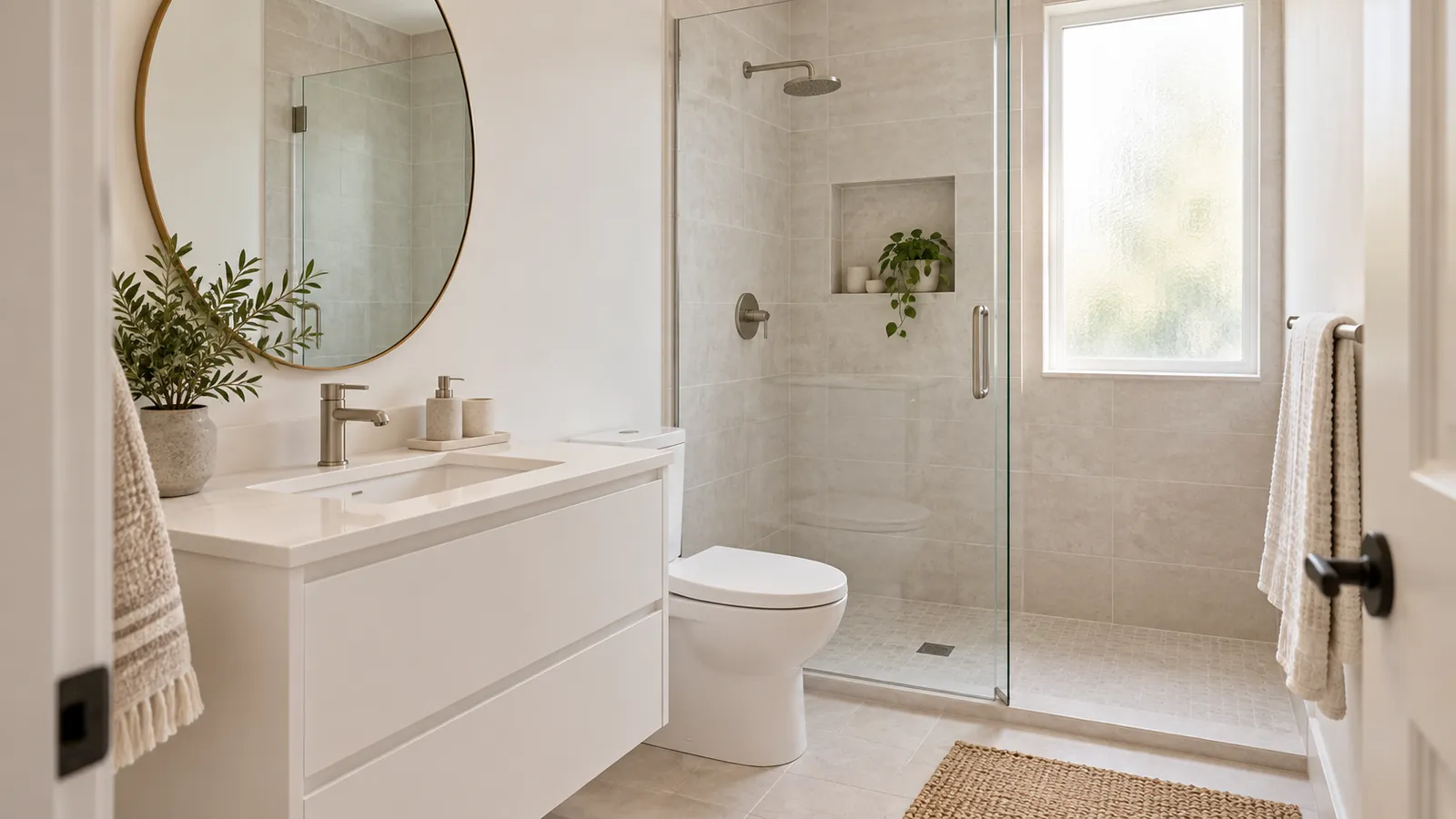
To photograph a small bathroom for a real estate listing, stand in the doorway or squeeze yourself into the corner beside it, then shoot at an angle towards the vanity and the shower or bath. Turn on every light, put the toilet lid down, and hold the phone level at about chest height using the 0.5x lens. Then check the mirror before you press the shutter, because the most common bathroom mistake is the photographer showing up in it.
Bathrooms are the hardest rooms in most houses to photograph well. They're small, full of mirrors and glass, and usually lit by a mix of vanity bulbs and a tiny window. Here's what works.
Prepare first, because there's nowhere to hide anything
In a large room, clutter can sit in a corner outside the frame. A small bathroom doesn't have corners with that kind of space. Everything in it will be in the photo.
- Clear the vanity completely. Toothbrushes, soap pump, hair tools, the cup by the sink. Zillow's seller tips single out toothbrushes and combs, and that advice is sound.
- Clear the shower and the bath ledge. Remove every bottle, the razor and the loofah.
- Remove the bath mat, the toilet brush and the rubbish bin. Put the scale in a cupboard.
- Lid down. Always. A raised toilet seat is the first thing people notice in a bathroom photo.
- Towels: one matching set, folded in thirds and hung straight, or no towels at all. A crumpled towel looks dirty in a photo even when it's clean.
- Open the shower curtain about two-thirds, or pull it fully back if the bath or tiles are worth showing. A closed curtain hides half the room.
- Clean the glass and mirrors. Water spots on a glass shower door show up clearly once the lights are on.
One small plant or a folded hand towel on the vanity is enough decoration. Anything more and the room starts to look busy.
Where to stand in a tight space
The doorway is usually the best spot
In most small bathrooms, the best spot is the doorway, or just inside it with your back against the wall beside the frame. Shoot at an angle so the vanity is along one side and the bath or shower is at the far end. That diagonal angle makes a small room look deeper.
Open the door fully and push it flat against the wall. If it still intrudes into the frame, check whether you can shoot from behind it, standing in the gap between the door and the wall. Sometimes that's the widest view you can get in the room.
Stand in the bath
For a small bathroom with a bath-and-shower combo, step into the dry bath and shoot back towards the vanity and door. It's often the only spot with enough space. Take one shot from here and one from the doorway, then keep whichever shows more of the room.
Powder rooms
A half-bathroom usually has just a toilet, a sink and a mirror. Shoot the vanity from the doorway at a slight angle, and don't try to include the whole room. If the powder room is unremarkable, you don't need to include it in the listing at all. The shot list guide covers which rooms to skip.
The 0.5x lens: use it, but carefully
You'll need the ultra-wide lens in almost every small bathroom. At 1x, you get a sink and a slice of wall. At 0.5x, you get the room. But the ultra-wide has drawbacks, and they're easy to see in a small room.
- Anything near the edge of the frame looks stretched. A toilet at the edge becomes a wide oval. Keep fixtures towards the middle, or leave them out of the shot.
- It exaggerates the sense of depth. A 5 by 8 foot bathroom can look much bigger than it really is. It may seem like a win until a buyer walks in and feels misled. If the shot only works from inside the linen cupboard, it isn't an honest representation.
- As soon as you tilt the phone, everything tilts with it. Bathrooms are full of straight lines, such as grout lines, the shower frame and the edge of the mirror, so any lean is obvious.
- It produces softer images than the main lens, especially in the corners and in dim light. Another reason to turn on all the lights.
Keep the phone aligned with the grid and the level function switched on, and resist the urge to tilt down to include the floor in the shot. Find out more in shooting real estate on an iPhone.
Mirrors: keep yourself out of shot
Every bathroom has at least one mirror, and a mirror facing the doorway will show whoever is standing there. A few ways to avoid this:
- Take the shot from an angle. The mirror will reflect the opposite wall or the shower, which looks natural.
- Use the timer. Place the phone on the counter or on a small tripod, then step out of the room.
- Check the glass shower door and any chrome fittings too. A shiny tap can show a tiny person holding a phone.
Don't edit yourself out of a mirror and leave an unnatural smear where you were. If you can't avoid the reflection, it's better to reshoot from a different position.
Lighting: a mixed bag
A small bathroom usually has vanity lights above the mirror, maybe a ceiling light, maybe a light in the shower, and a small frosted window. Turn them all on. Open the window blind.
That gives you a mix of warm vanity bulbs, cooler light from the window and whatever colour the shower light happens to be. The photo will have a yellow or orange cast on the walls near the vanity and a bluish tone near the window. That's fine. A colour cast is easy to correct afterwards. A bathroom with only one light on and the rest in shadow looks cramped and grubby.
And don't use the flash. In a room full of tiles, glass and mirrors, the flash bounces straight back and leaves a white spot in the middle of the frame.
Low light in a small room means a slower shutter. Brace your elbows against the door frame, or set the phone on the counter and use the timer. A soft-looking photo of a bathroom makes it look dingy.
Editing bathroom photos
Most bathroom photos taken on a phone need the colour cast neutralised and the vertical lines straightened by a degree or two. White tiles make a colour cast obvious, because buyers expect white to look white. You can fix both manually in Lightroom or your phone's photo editor.
Real Estate Camera's Enhance corrects lighting, white balance and vertical alignment in one pass, for 1 credit, in 20 to 60 seconds. It doesn't change the tiles, fittings or layout. We don't have a bathroom among our sample images, so here's a kitchen with the same problem bathrooms usually have: warm bulbs alongside daylight.
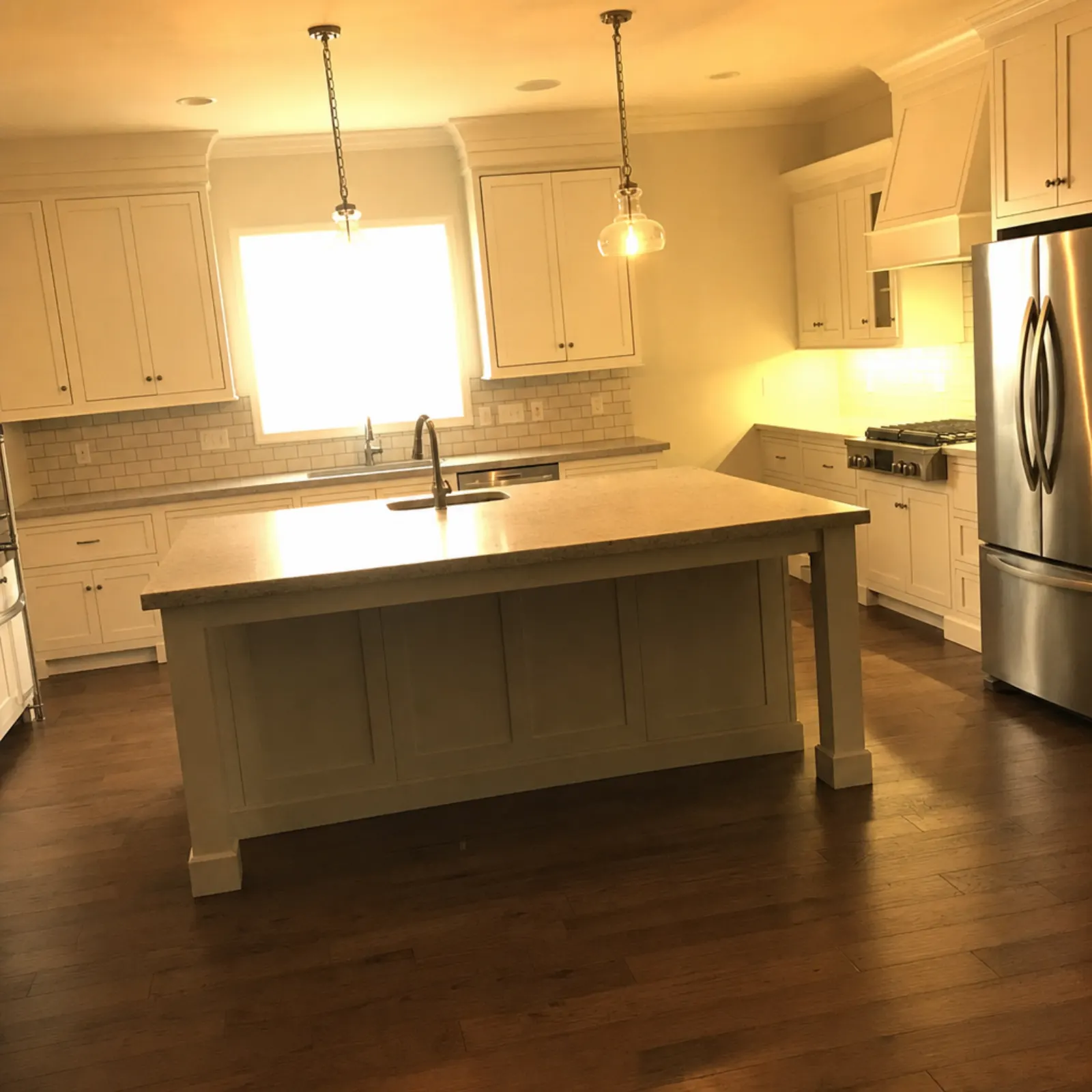
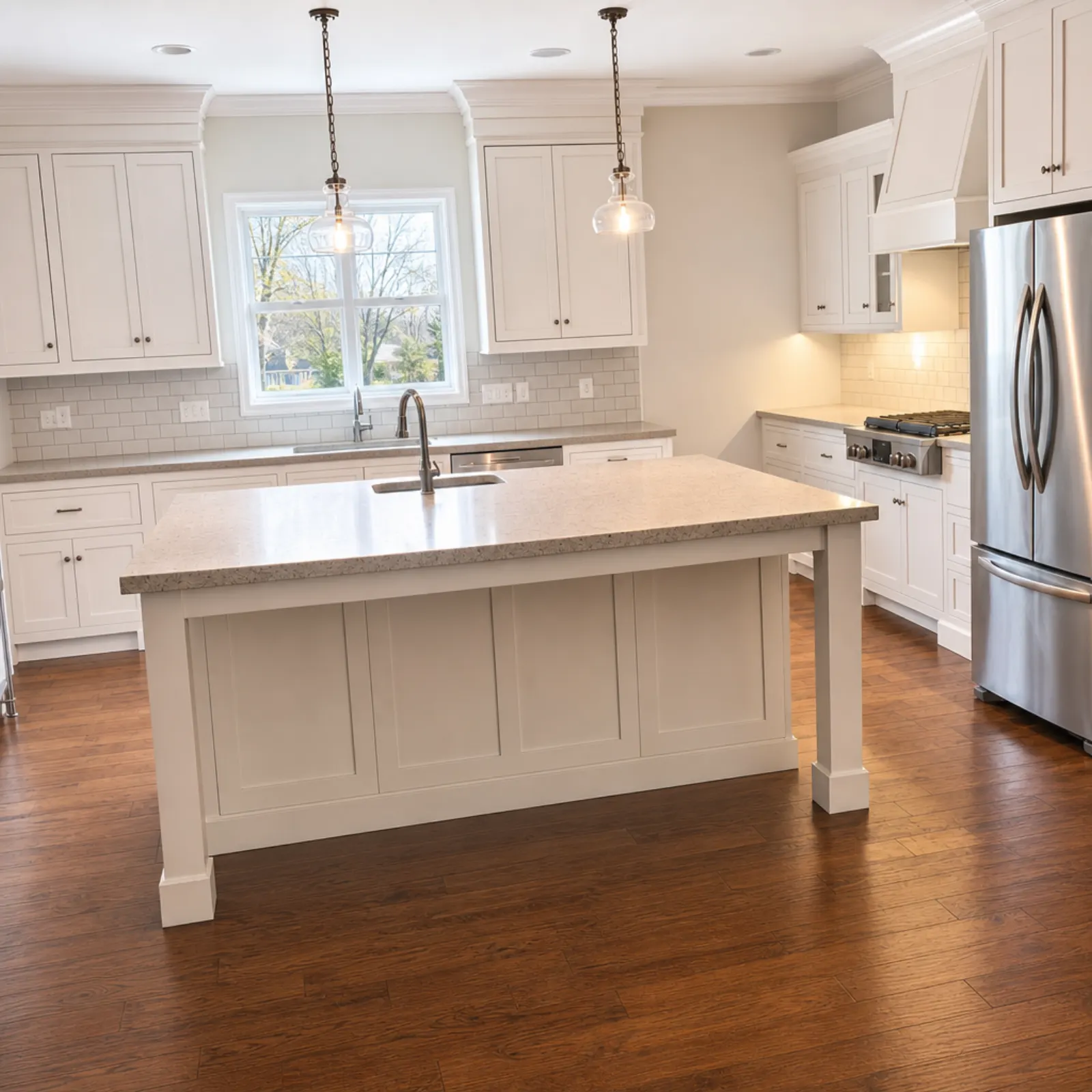
If the bathroom is in a vacant property, Virtual staging includes bathrooms as a room type, for 2 credits. Staged photos are flagged "virtually staged" in the app, and the export asks you to confirm that you'll disclose it. Read virtual staging MLS rules to see what your board requires.
Bathroom checklist
- Clear the vanity. Empty the shower and bath ledge. Remove the bath mat, brush, bin and scale.
- Toilet lid down. Fold matching towels, or remove them.
- Clean the mirror and glass.
- All lights on, exhaust fan off, blind open and flash off.
- Shoot from the doorway or the corner beside it, at an angle. Try shooting from inside the bath too.
- Use 0.5x, keep the phone level at chest height and keep the fittings away from the edges of the frame.
- Check the mirror, shower screen and tap for your reflection.
For the main bathroom, take a second shot of a freestanding bath or walk-in shower if it's a selling point. For each of the other bathrooms, one good photo is enough.
To shoot and edit bathroom photos in one app, see the real estate photography app.
Brighten and straighten your next bathroom photo. Start free: 1 credit.
Questions
Where should I stand to photograph a small bathroom?
Usually, stand in the doorway, or with your back pressed into the corner beside it, and shoot at an angle towards the vanity and the bath or shower. In a very small bathroom, standing in the dry bath and shooting back towards the vanity often gives the widest view.
Should I use the 0.5x lens in a bathroom?
Generally, yes, as it is the only lens that can capture a small bathroom in a single frame. Keep the phone level and position the toilet and vanity away from the edges of the frame, where the ultra-wide lens distorts things the most. Don't make a small bathroom look bigger than it is.
How do I keep my reflection out of the bathroom mirror?
Photograph the mirror at an angle so it reflects a wall or the shower instead of you. Stand to one side of the vanity, not directly in front of it. If there's no angle that works, use the phone's timer and step out of the room.
Should the toilet be in real estate photos?
It's fine for the toilet to be in the frame, but it shouldn't be the subject. Put the lid down and frame the shot around the vanity, the bath or the shower. If you can position the toilet at the edge of the frame or behind the door, do so.
Should bathroom lights be on for photos?
Yes, all of them, including the vanity lights and the shower light. Turn off the exhaust fan and open the window blind, if there is one. You can correct the colour cast afterwards.