Real Estate Camera
For a vacant listing, shoot every room in one midday visit with all the lights on. Then stage the three to five rooms that are hardest to picture empty, label each staged photo, and upload the original photo of the empty property alongside it. With an AI staging app, the whole job fits in one visit and the listing can go live that evening. This checklist follows the order in which I'd work through the property.
Figures from external sources link to those sources and are as of September 2026. Real Estate Camera is our app, and I've marked where I'm describing it.
Before you arrive
- Pick the time. Zillow's photography tips say to photograph interiors when the light is brightest, at midday, and exteriors when the sun is behind the camera. If the front of the property faces west, you may need to return later to photograph it. For timing, see Exterior photos.
- Ask to have the utilities switched on. A vacant property with the power off looks like a cave in photos.
- Bring bulbs. Vacant properties often have dead bulbs, and dark fittings look broken in photos.
- Check your MLS rules for staged photos and the main photo. Realcomp, for example, requires a photo of the property's frontage within 48 hours of the property being listed.
At the property: prep in ten minutes
- Turn on every light, including the lights in the closets you'll photograph, the rangehood and the under-cabinet lights.
- Raise every blind and open every curtain. Zillow also suggests removing flyscreens, which dim the light.
- Leave the toilet seats down and the doors between rooms open so the layout is clear.
- Sweep every floor you'll photograph. Empty rooms show every speck of dirt.
- Keep the lockbox, cleaning supplies and rubbish bags out of every shot.
The shot list for an empty house
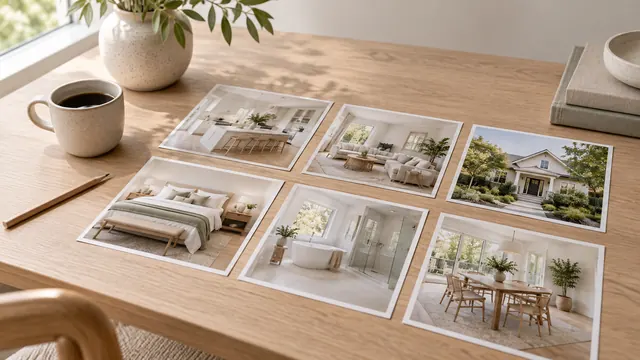
Zillow recommends 22 to 27 photos for a listing. For a vacant three-bedroom property, that usually breaks down as follows:
| Area | Shots | Stage it? |
|---|---|---|
| Front exterior | 2 to 3 (head-on and at an angle from each side) | No |
| Living room | 2 to 3 | Yes, the main viewpoint |
| Kitchen | 2 to 3 | No, the cupboards and benchtops are enough |
| Dining area | 1 to 2 | Yes, if it isn't obvious it's a dining space |
| Main bedroom | 2 | Yes |
| Other bedrooms | 1 each | Perhaps one, to show the room's size |
| Bathrooms | 1 each | No |
| Bonus room, office or loft | 1 to 2 | Yes, show what it's for |
| Backyard, patio | 2 to 3 | Only freestanding patio furniture |
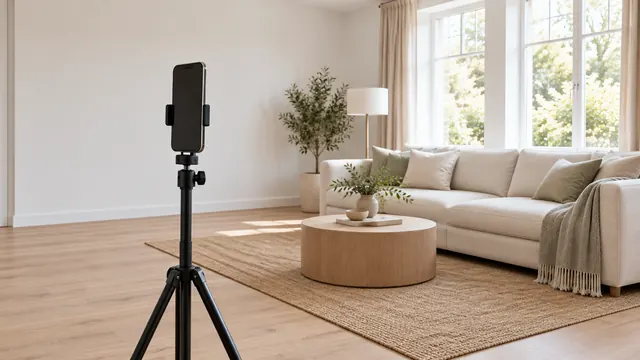
For each room you plan to stage, take one clean, wide shot from the corner that shows the most floor space. Virtual staging works best when there's nothing in the foreground and the entire floor area is visible. Hold the phone horizontally at chest height, keeping it level. The complete room-by-room list is in the shot list, and small bedrooms have their own guide.
Stage the rooms before you leave
- Fix the lighting and vertical alignment first. Virtual staging won't correct any lean or darkness in the photo. See dark photos and leaning walls.
- Choose one style for the whole house. Mid-century in the living room and farmhouse in the bedroom can look fake. Virtual staging styles can help you choose.
- Stage three to five rooms. Which rooms to stage explains the choices in the table above.
- Check each render while you're still in the room. Compare the windows, doors, flooring and any fireplace with what you can see in front of you. That's the advantage of staging on site: you can see the actual room.
- Don't stage the exterior beyond movable furniture. Stellar MLS prohibits exterior staging except for freestanding furniture or decor.
Labels and uploading
- Place "virtually staged" where your board requires it: in the caption, over the photo or at the start of the remarks. Stellar requires the remarks to begin with "One or more photo(s) was virtually staged."
- Upload the original as-shot photo next to each staged photo. CRMLS requires it immediately before or after. In California, AB 723 also requires a link to it.
- Order the gallery: the front exterior, the living room, the kitchen, then a walkthrough of the house.
MLS rules and disclosure wording cover the labelling requirements for each board.
What this costs in Real Estate Camera
A 25-photo vacant listing with Enhance on every photo (1 credit each) and four staged rooms (2 credits each) uses 33 credits. The 60-credit pack is $24.99, so that listing uses less than $14 of it, leaving credits for the next one. Credits don't expire. Staged results are ready in 20 to 60 seconds and tagged "virtually staged." See pricing, or same-day virtual staging to compare turnaround times with human staging services.
For more on staging in our app, see AI virtual staging and virtual staging for real estate agents.
Shoot and stage your next vacant listing in one visit. Start free: 1 credit.
Questions
How do you photograph an empty property for a listing?
Shoot at midday with all the lights on and the blinds open, standing in each room's corner with your phone level at chest height. Photograph the exterior when the sun is behind you. Zillow suggests 22 to 27 photos in a listing. Then virtually stage the three to five rooms that are hardest to picture empty, and label them.
Which rooms should I virtually stage in a vacant listing?
The living room, the main bedroom and any room whose use isn't obvious, such as a bonus room or an office nook. Leave the bathrooms, hallways and kitchen as photographed; they look fine empty.
Can I shoot and stage a vacant listing in one day?
Yes, with an AI staging app. Photographing an empty property takes an hour or so, and an AI app can stage each room in seconds to about a minute. Human staging services quote 4 to 48 hours as of September 2026.
Do I also need to upload the photo of the empty property?
On many portals, yes. CRMLS wants the original photo immediately before or after the staged photo, and California's AB 723 requires a link to the unaltered image. Where it's optional, posting it anyway avoids surprises at the open home.